
The 12 Best Social Media Content Creation Tools for 2025
Discover the top social media content creation tools for graphics, video, and engagement. Our curated list helps you find the right software for your workflow.
In social media management, the demand for high-quality, engaging, and platform-specific content is relentless. Relying on a single, one-size-fits-all solution is no longer efficient. Your workflow is unique, and your toolkit should reflect that, enabling you to produce diverse assets without sacrificing quality or speed. A well-curated set of social media content creation tools is essential for staying competitive and managing your workload effectively.
This guide is designed to help you build that toolkit. We've moved beyond generic lists to provide a practical, categorized roundup of platforms that solve specific problems in a modern social media workflow. Instead of just listing features, we focus on real-world applications, honest limitations, and clear pricing so you can make informed decisions. Whether you're a freelance marketer, part of a large agency, or managing your own e-commerce brand, this resource will help you pinpoint the exact tool you need to fill a gap in your process.
Here, you'll find solutions organized by their primary function:
- Graphic Design: For creating static images, infographics, and promotional visuals.
- Video Editing: From quick, template-based clips to more advanced edits.
- Specialized Engagement: Tools like Countdown Timer App that drive urgency and interaction.
- Asset & Template Sourcing: For high-quality stock media and ready-to-use designs.
Each entry includes screenshots, direct links, and a clear breakdown of who the tool is best for, helping you find the right fit for your specific tasks. We analyze each platform based on its ease of use, unique capabilities, and practical value for social media teams. For a broader comparison and an updated look at the market, explore these 12 Best Social Media Content Creation Tools for 2025 from Trendy. Let's dive into the platforms that will streamline your content creation.
1. Countdown Timer App
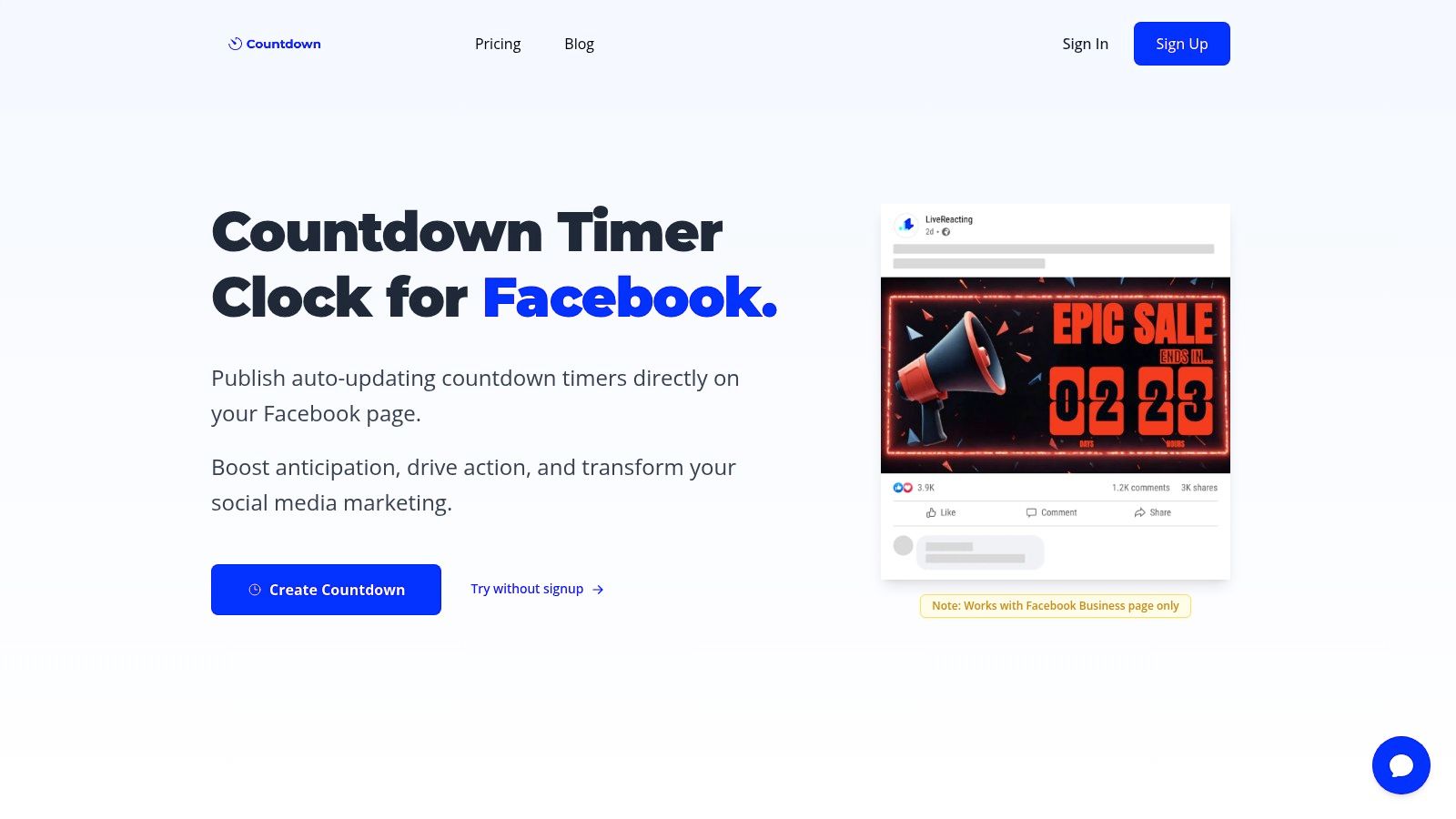
When it comes to building palpable anticipation for a launch or event, Countdown Timer App stands out as an exceptionally focused and effective tool. It specializes in one core function: creating and automating dynamic countdown timer images directly on your Facebook Business Page. This “set-it-and-forget-it” approach makes it one of the most powerful social media content creation tools for generating sustained buzz around a specific date.
Unlike static graphics that quickly become outdated, this app publishes an image that automatically refreshes on a server-driven schedule. This ensures your audience always sees the most current time remaining, keeping your promotion top-of-mind without any manual intervention from your team.
Core Features and Use Cases
The platform's strength lies in its streamlined workflow. You select a template, customize it with your brand's colors, fonts, and background images, and publish it directly to your Facebook page.
Key capabilities include:
- Automated Image Updates: The server handles all the work, refreshing the countdown image at an interval you set (from every 5 minutes to once per day).
- Post-Publish Editing: You can change the end date, text, colors, or update frequency on a live countdown without having to delete and republish the post.
- Flexible Sharing: Once posted, you can share the countdown to relevant groups, your personal profile, or pin it to the top of your page for maximum visibility.
- Multi-Platform Output: Beyond Facebook, the tool can generate web-hosted landing pages and embeddable countdown clocks for your website or email campaigns.
This makes it an ideal solution for e-commerce brands launching a product drop, event organizers selling tickets, or marketers promoting a webinar.
Practical Considerations
The tool is purpose-built for organic Facebook posts. A key limitation is that Facebook's ad policies do not support these dynamic creatives, so they cannot be used in paid campaigns. Additionally, the countdown is not a smooth, real-time animation but a periodically updated image.
- Pricing: A free plan is available for basic functionality. Premium plans unlock more frequent updates and advanced customization options, but you must visit the official pricing page for detailed feature breakdowns.
- Best For: Social media managers, e-commerce stores, and event marketers who need a reliable, low-effort way to build hype for time-sensitive promotions on Facebook.
Website: https://www.countdown-timer.app
2. Canva
Canva is a dominant force among social media content creation tools, functioning as an all-in-one design suite for almost any visual asset. It empowers non-designers and marketing teams to quickly produce high-quality social posts, carousels, short-form videos, and ads using an intuitive drag-and-drop interface. Its primary advantage is speed; you can go from an idea to a published post in minutes.
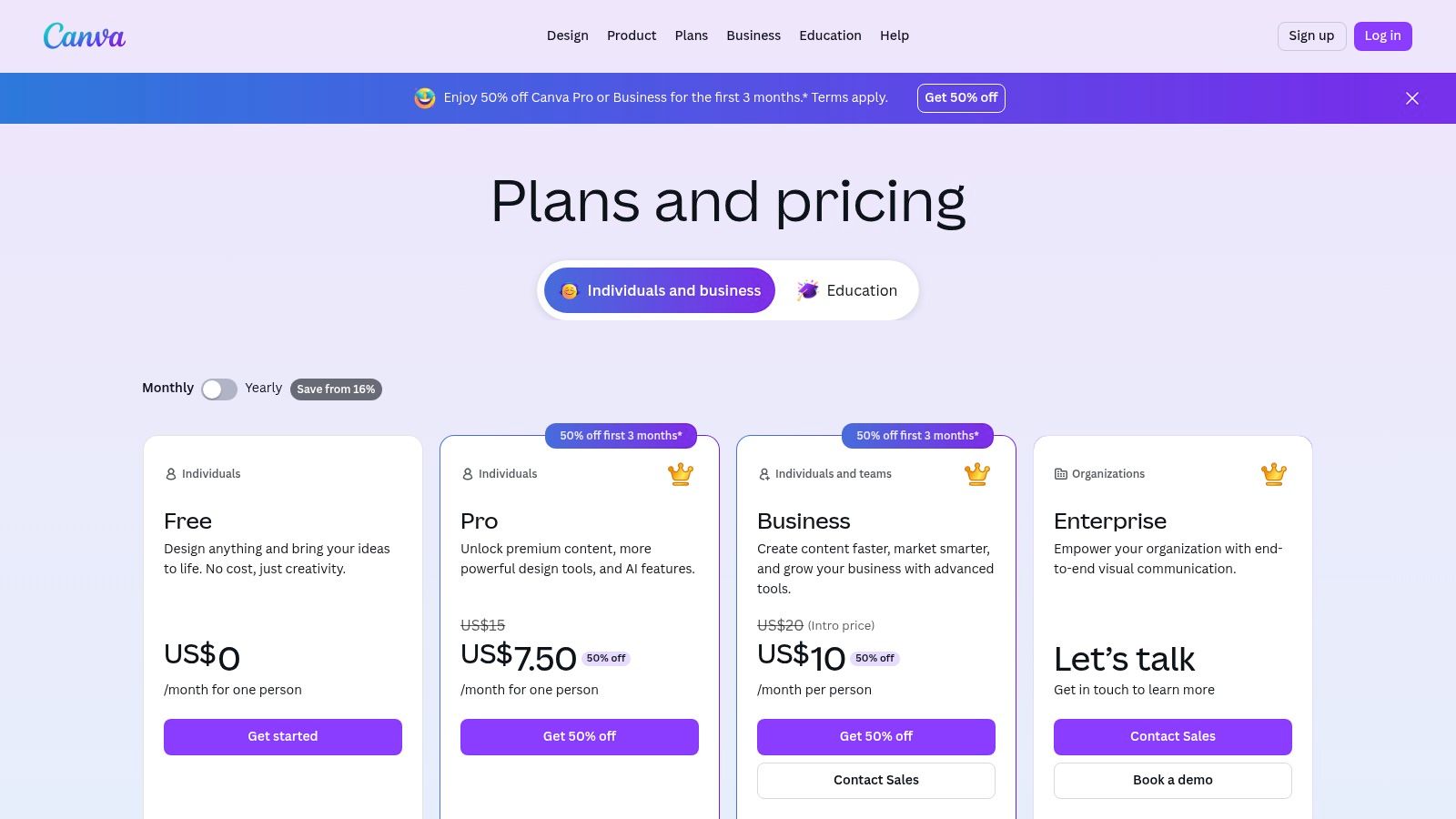
The platform's strength lies in its massive library of templates and assets, which eliminates the need to start from a blank slate. Paid tiers unlock over 3.6 million premium templates and 141 million assets, alongside AI-powered tools for background removal, copy generation, and content resizing. However, some users have expressed frustration with recent pricing changes and the fact that advanced brand controls are gated behind more expensive plans.
Key Features & Pricing
| Feature | Canva Free | Canva Pro ($14.99/mo) | Canva for Teams ($29.99/mo/user) | | :--- | :--- | :--- | :--- | | Templates | 250,000+ | 3.6M+ | 3.6M+ | | Stock Assets | 1M+ | 141M+ | 141M+ | | AI Tools | Limited | Full access | Full access | | Brand Kits | 1 (limited) | 100 | 300 | | Collaboration | Basic | Real-time commenting | Team folders, roles |
Use Case: Rapid Campaign Asset Creation
Imagine you're launching a flash sale. Instead of briefing a designer, you can use a Canva template, customize it with your brand colors and logo using the Brand Kit, and use the Magic Resize tool to instantly generate versions for Instagram Stories, a Facebook post, and a Twitter image. This workflow dramatically reduces turnaround time. For more ideas, you can explore how to integrate these graphics with other tools for social media engagement.
- Best for: Teams needing a fast, template-driven workflow for daily content.
- Link: Canva Pricing
3. Adobe Express
Adobe Express is the creative suite giant's answer to simplified, social-first design, making it one of the most powerful social media content creation tools available. It leverages the quality of the Adobe ecosystem, offering a streamlined editor with professional templates, powerful AI features, and seamless integration with other Adobe applications. Its key differentiator is access to the vast Adobe Stock library, ensuring high-quality, commercially-safe assets for any project.
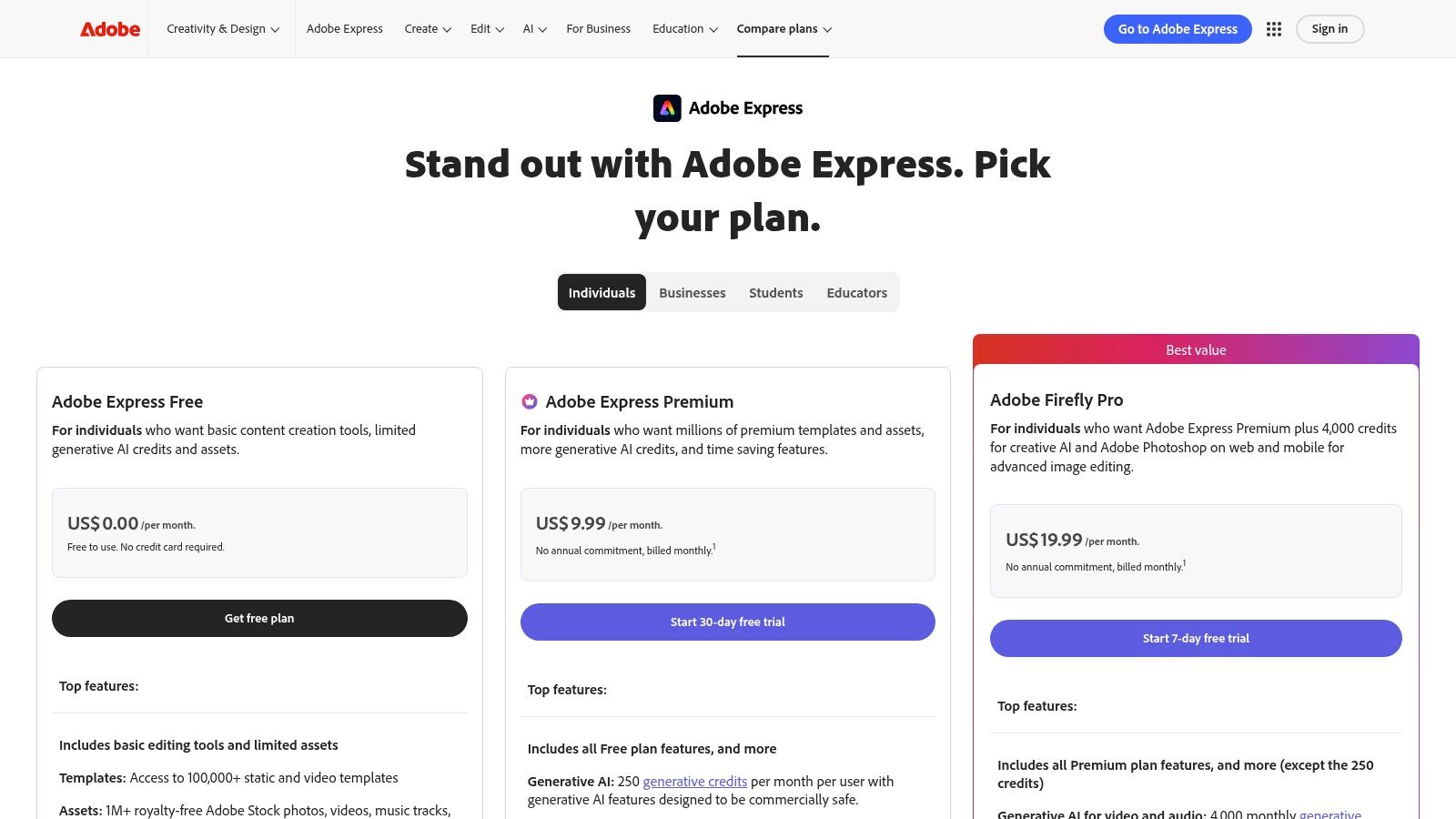
The platform integrates Adobe’s Firefly generative AI, allowing users to create unique images and text effects from simple prompts. Paid plans unlock over 200 million premium Adobe Stock assets and provide a generous allocation of generative credits. While its free tier is robust, some advanced features are locked behind the premium plan, and users should be mindful of how Adobe's broader pricing strategy might evolve over time.
Key Features & Pricing
| Feature | Free Plan | Premium Plan ($9.99/mo) | | :--- | :--- | :--- | | Templates | Thousands | 25,000+ premium templates | | Stock Assets | Limited Adobe Stock | 200M+ Adobe Stock photos, videos & music | | Generative AI | 25 Credits/mo | 250 Credits/mo | | Brand Kits | Yes (basic) | Yes (full) | | Scheduling | 2 posts/mo per channel | Unlimited |
Use Case: High-Fidelity Brand Content
Consider a marketing agency managing a luxury brand's social media. They need visuals that reflect premium quality. Using Adobe Express, the team can access exclusive Adobe Stock photos and licensed Adobe Fonts to maintain brand integrity. They can create a core video ad, then use the one-click resize and animation tools to generate consistent, high-quality variants for Instagram Reels, TikTok, and YouTube Shorts, all while ensuring asset licensing is commercially cleared.
- Best for: Creative professionals and teams already invested in the Adobe ecosystem.
- Link: Adobe Express Pricing
4. CapCut
CapCut has emerged as a go-to video editor among social media content creation tools, specifically for its prowess in producing trend-driven short-form video. Optimized for TikTok, Reels, and Shorts, its mobile-first design and powerful desktop app allow creators to quickly assemble clips, add popular audio, and apply social-native effects and text styles that resonate with vertical video platforms. Its main advantage is its speed and direct integration with the TikTok ecosystem.
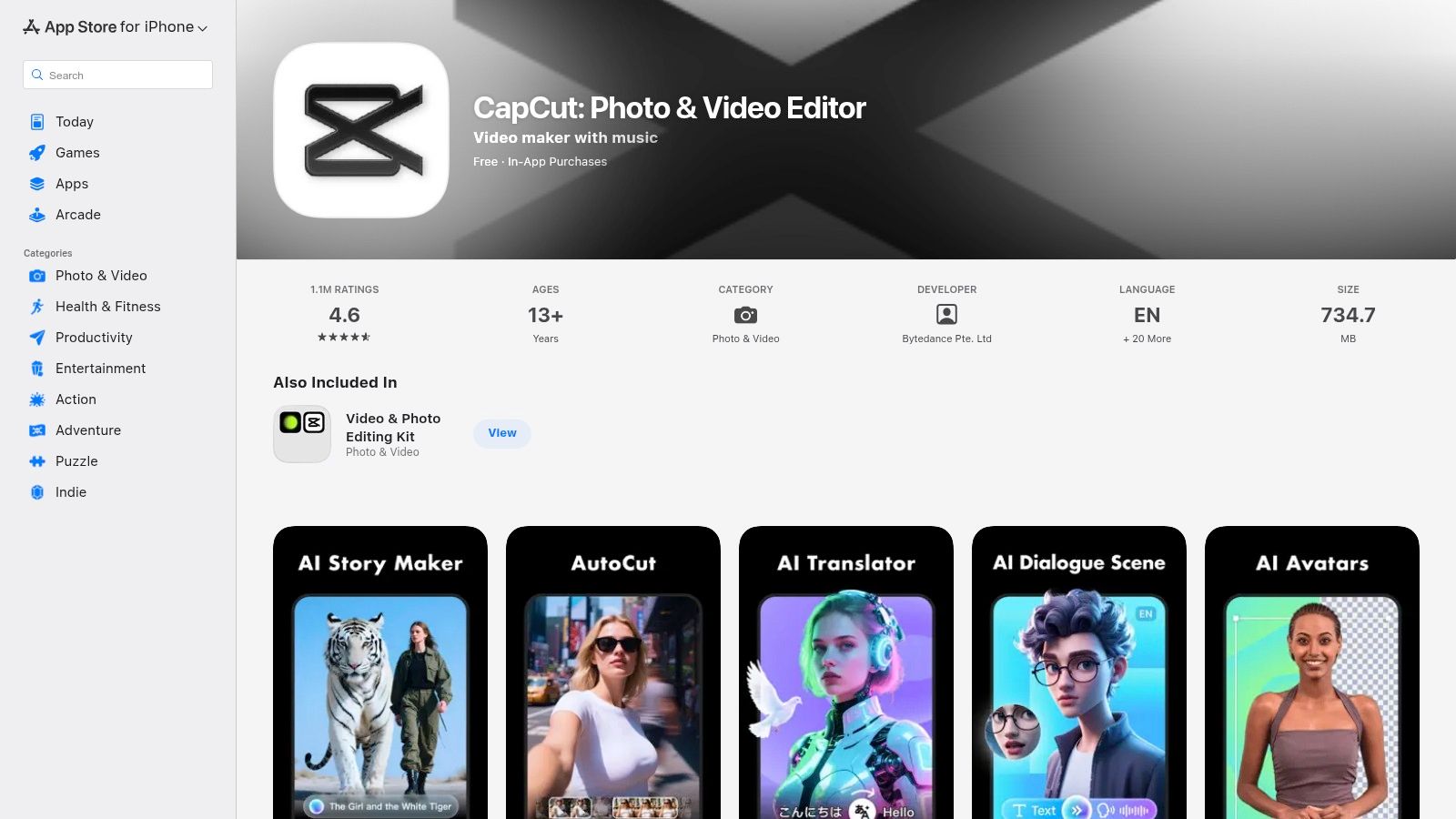
The platform's key strength is its vast library of templates that mirror current social media trends, enabling users to insert their own clips into a pre-made, popular format. Its auto-captioning tool is remarkably accurate and highly customizable, saving significant time. However, its U.S. availability has been subject to regulatory uncertainty tied to its parent company, and some users have reported mixed experiences with subscription billing and clarity on paid features.
Key Features & Pricing
| Feature | CapCut Free | CapCut Pro ($7.99/mo) | | :--- | :--- | :--- | | Templates & Effects | Large library | Full access to premium assets | | Auto-Captions | Yes (with watermark) | Yes (no watermark) | | Cloud Storage | Limited | 100GB | | Video Quality | Up to 4K/60fps | Up to 4K/60fps | | AI Tools | Basic | Advanced features |
Use Case: Jumping on a Viral Trend
Imagine a new dance challenge or audio clip goes viral on TikTok. Instead of building a video from scratch, you can find a corresponding template in CapCut, drop your own footage into the designated placeholders, and the app automatically syncs it to the music and adds relevant effects. This allows a brand to participate in a trend within hours, not days. This rapid production is crucial for effective social media video marketing.
- Best for: Creators and brands focused on producing fast, trendy vertical videos for TikTok and Reels.
- Link: CapCut on the App Store
5. Descript
Descript revolutionizes video and audio editing, positioning itself as a top-tier social media content creation tool for anyone working with spoken-word content. It operates on a simple yet powerful premise: edit audio and video as easily as you edit a text document. This unique, transcription-based workflow dramatically lowers the barrier to entry for creating polished social clips from longer recordings like podcasts, webinars, or interviews.
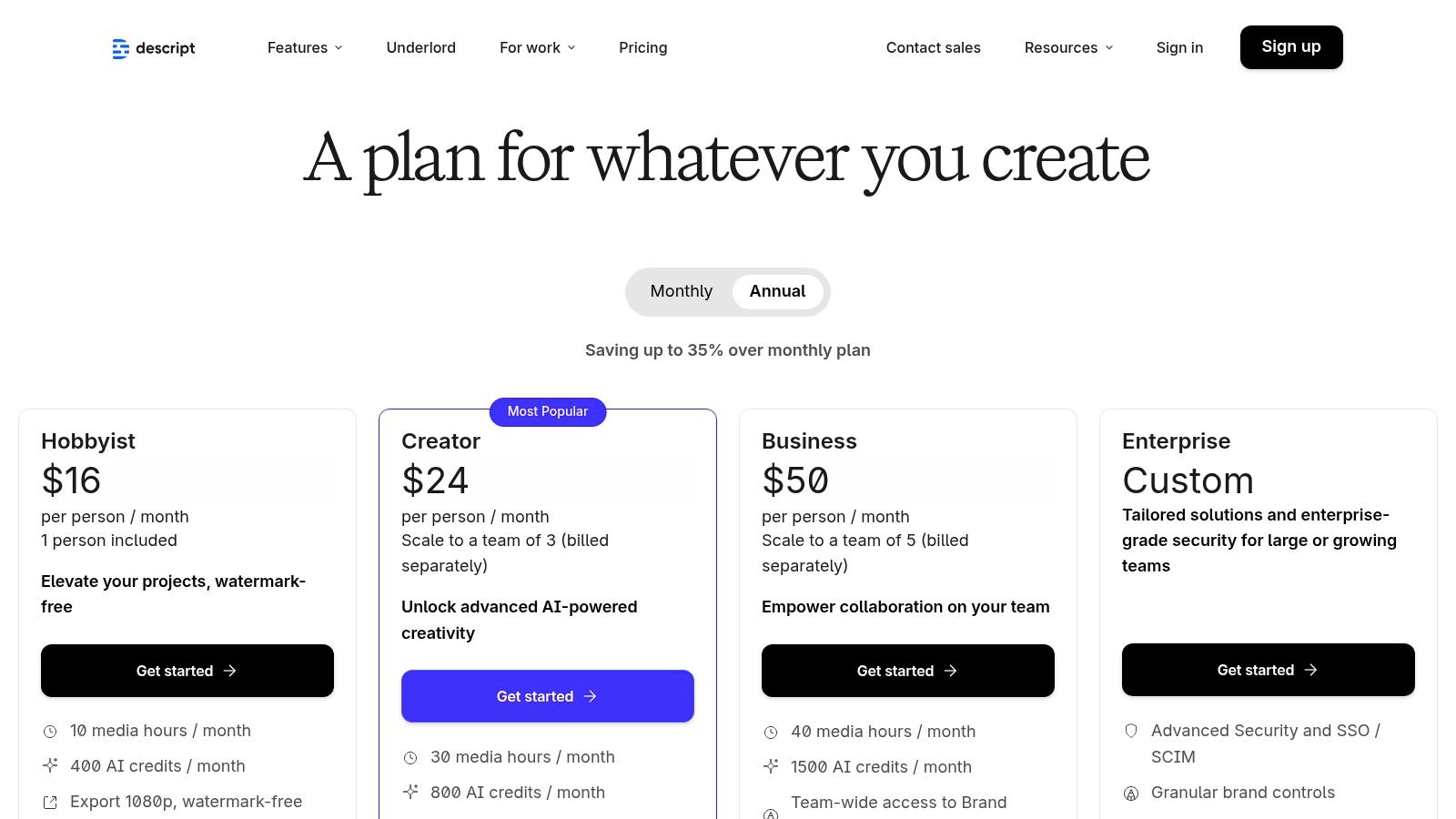
The platform's strength is its suite of AI-powered features, including automatic filler word removal ("ums" and "ahs"), Studio Sound for enhancing audio quality, and an AI co-editor named Underlord that can script, shorten, and even add B-roll to your content. Its primary advantage is efficiency in repurposing content for social media. However, users should be mindful of usage limits, as heavy transcription and AI features can quickly consume monthly quotas on lower-tier plans, and advanced team collaboration is reserved for higher-priced tiers.
Key Features & Pricing
| Feature | Free | Creator ($15/mo/user) | Pro ($30/mo/user) | | :--- | :--- | :--- | :--- | | Transcription | 1 hr/month | 10 hrs/month | 30 hrs/month | | AI Features | Limited (Green Screen, Studio Sound) | Full access | Full access | | Filler Word Removal | Basic ("um," "uh") | 18 filler words | 18 filler words | | Video Export Resolution | 720p (with watermark) | Up to 4K (no watermark) | Up to 4K (no watermark) | | Stock Media Library | Limited | Full access | Full access |
Use Case: Repurposing a Podcast for Social Media
Imagine you've just recorded a one-hour podcast episode. Instead of manually scrubbing through the audio to find shareable quotes, you can upload it to Descript to get a full transcript. From there, you can simply highlight compelling text snippets, and Descript will automatically generate short video clips from those moments. You can then add animated captions, apply Studio Sound for clarity, and export them in a vertical format perfect for Instagram Reels or TikTok, turning one long-form piece into a week's worth of social content.
- Best for: Podcasters, course creators, and marketers repurposing long-form video into social clips.
- Link: Descript Pricing
6. Kapwing
Kapwing is a browser-based video editor that excels as one of the most accessible social media content creation tools for teams focused on speed and repurposing. It’s built for social managers who need to quickly resize videos, generate accurate captions, dub content, and create clips without a steep learning curve. The platform's core advantage is its powerful, AI-driven subtitle and translation workflow, making it simple to adapt a single video for multiple platforms and global audiences.
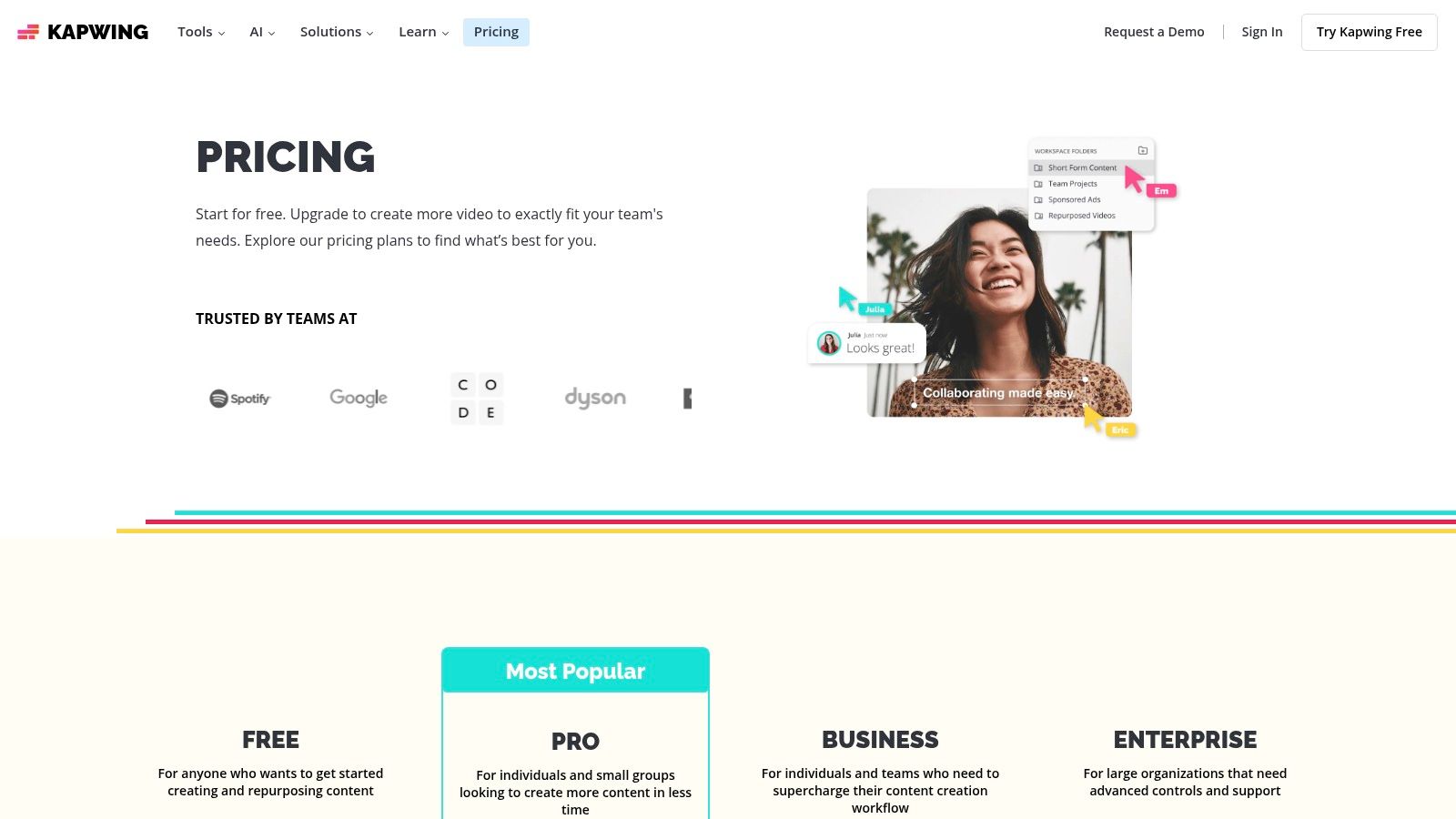
Its strength is simplifying complex video tasks like removing silence or translating audio into different languages with a few clicks. While the platform is incredibly intuitive, its web-first nature may not suit editors accustomed to traditional desktop software. Additionally, the credit system used for AI features can be slightly confusing for new users, though it provides flexibility for occasional heavy use.
Key Features & Pricing
| Feature | Free | Pro ($24/mo/user) | Business ($64/mo/user) | | :--- | :--- | :--- | :--- | | Export Resolution | 720p (with watermark) | 4K | 4K | | Auto-Subtitles | 10 minutes/month | 300 minutes/month | 1,800 minutes/month | | AI Dubbing/Translate| 2 minutes/month | 60 minutes/month | 360 minutes/month | | Brand Kit | No | 1 Kit | Unlimited Kits | | Team Collaboration | Limited | Shared workspace | SAML SSO, team folders |
Use Case: Repurposing a Podcast Clip
Imagine you have a 60-second video clip from a podcast that you want to post on Instagram Reels, TikTok, and LinkedIn. Using Kapwing, you can upload the clip, use the Smart Trim tool to find the most engaging segment, and automatically generate subtitles. You can then use the AI translation and dubbing feature to create a Spanish version. Finally, apply a branded template and resize the video into 9:16 and 1:1 formats, all within the same project.
- Best for: Social media managers needing fast, AI-powered captioning and video repurposing.
- Link: Kapwing Pricing
7. VEED
VEED is carving out a niche as a powerful, browser-based video editor tailored specifically for social media. It moves beyond simple trimming and filters by integrating a robust suite of AI-powered tools designed to streamline complex video tasks. For teams looking to create professional-looking short-form video content without a steep learning curve, VEED is an excellent choice among social media content creation tools.
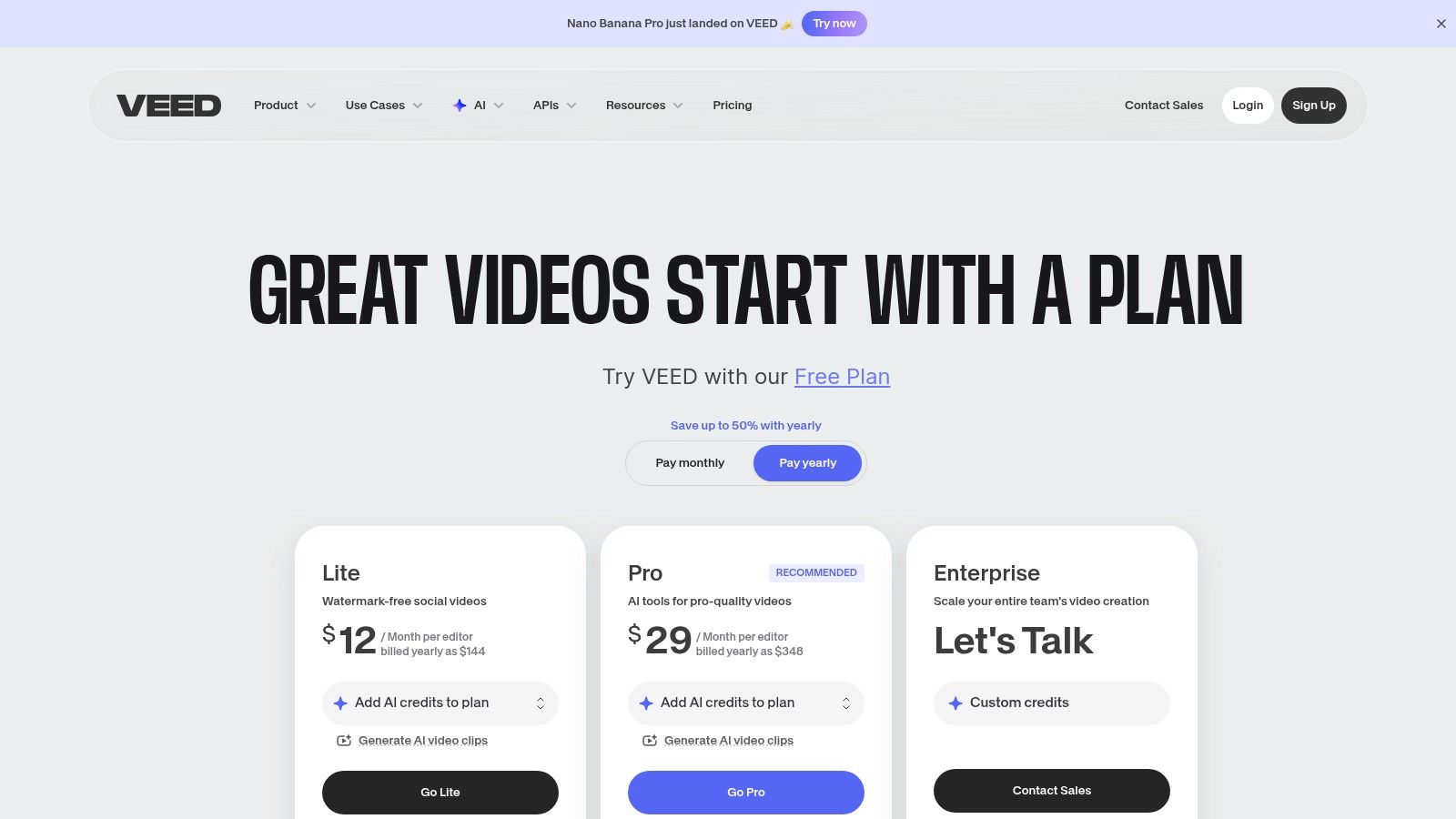
The platform's key differentiator is its focus on AI-assisted workflows. Features like automatic subtitling, one-click audio cleanup, and eye-contact correction make content instantly more engaging and accessible. It also includes an "AI Playground" that provides access to various third-party AI video models, allowing for experimental content creation. However, users should be mindful that pricing and AI credit limits can change as new models are added, and some advanced features are gated behind higher-tier plans.
Key Features & Pricing
| Feature | Free | Basic ($18/mo/user) | Pro ($30/mo/user) | Business ($59/mo/user) | | :--- | :--- | :--- | :--- | :--- | | Video Quality | 720p with watermark | 1080p | 4K | 4K | | Auto Subtitles | 30 mins/month | 1440 mins/year | 2880 mins/year | 8640 mins/year | | AI Tools | Limited access | Basic features | Eye contact, Clean Audio | Full access, AI Avatars | | Stock Library | Limited | Standard | Premium | Premium | | Translations | Manual only | Auto-translate | Auto-translate | Auto-translate |
Use Case: Repurposing Long-Form Video
Imagine you have a one-hour webinar recording. Using VEED, you can upload the full video and use its AI clip generator to automatically identify the most compelling highlights. From there, you can generate accurate subtitles with one click, use the audio cleanup tool to remove background noise, and even correct the speaker's eye contact to appear more direct. This transforms a single piece of long-form content into multiple engaging, platform-ready shorts in a fraction of the time.
- Best for: Teams focused on producing AI-enhanced short-form video without specialized editing software.
- Link: VEED Pricing
8. InVideo (InVideo AI + Studio)
InVideo is an AI-assisted video creation platform designed to accelerate the production of social media ads, promos, and short-form content. It stands out among social media content creation tools by leveraging AI to generate entire videos from a simple text prompt, including scripts, voiceovers, and relevant stock footage. This "text-to-video" capability makes it exceptionally powerful for teams needing to produce video content at scale without deep video editing expertise.
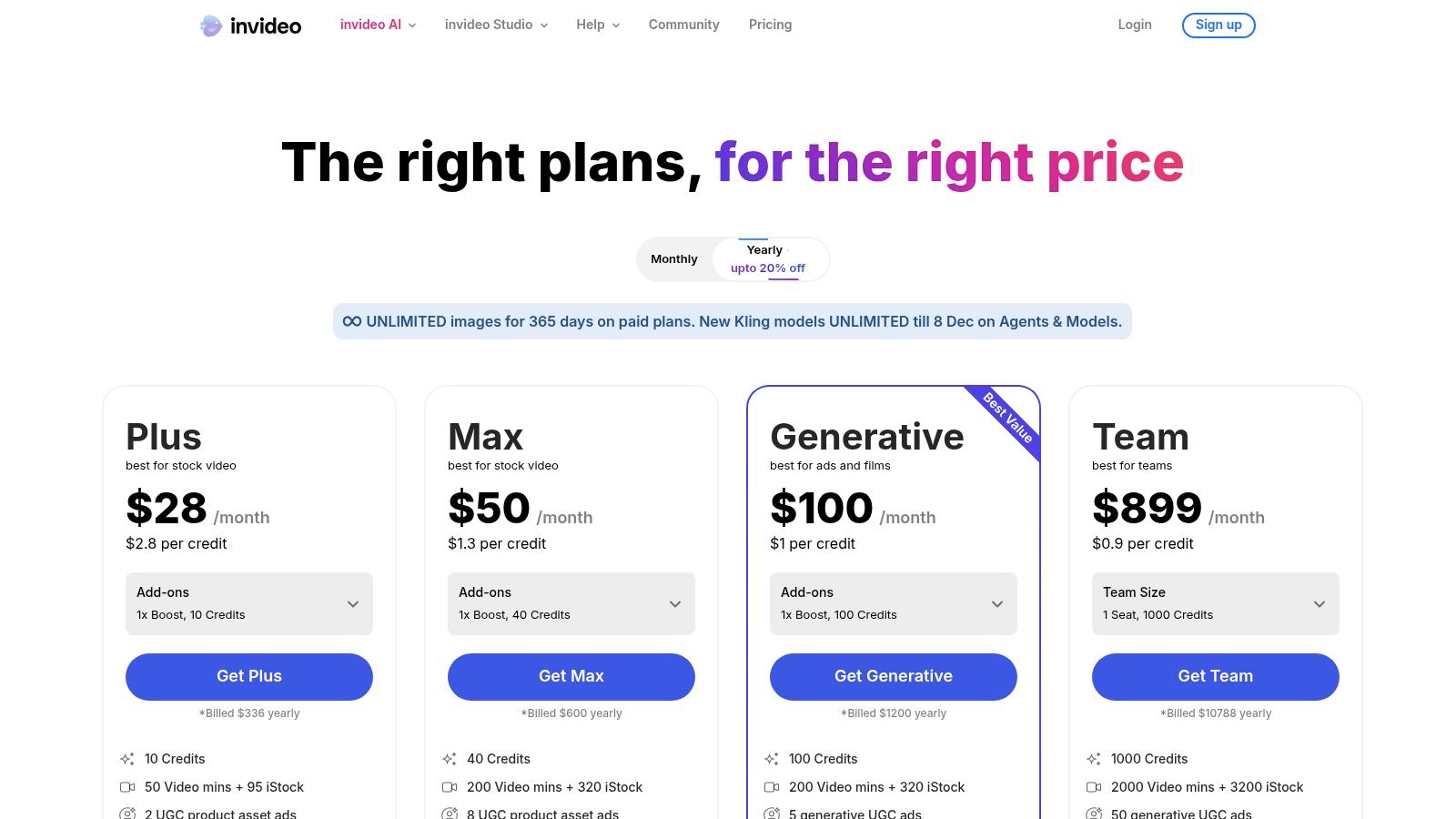
The platform operates on a credit-based system, which provides clear quotas for AI generations, iStock media pulls, and export minutes, helping teams manage their usage and budget effectively. While the AI can dramatically speed up the initial draft, users retain full editing control in the InVideo Studio to refine the final product. The primary drawback is that heavy usage requires careful planning around the credit and quota system, and the free plan includes a watermark.
Key Features & Pricing
| Feature | Free | Plus ($25/mo) | Max ($49/mo) | | :--- | :--- | :--- | :--- | | Video Duration | 15 mins/week | 50 mins/month | 200 mins/month | | iStock Media | 4 iStock clips | 80 iStock/month | 320 iStock/month | | AI Generations | 10 per week | 50 per month | 200 per month | | Watermark | Watermark on videos | No watermark | No watermark | | Storage | 10GB | 100GB | 400GB |
Use Case: Generating Ad Variations for A/B Testing
Imagine you need to test three different video ad concepts for a new product launch. Instead of spending days scripting and editing, you can provide InVideo AI with three distinct prompts, such as "Create a 30-second energetic video ad for a new line of eco-friendly sneakers." The AI will generate three unique video drafts complete with scripts, visuals, and voiceovers. You can then quickly tweak them in the editor and export the final versions for your campaign, all within an hour.
- Best for: Marketers and agencies needing to rapidly generate multiple video variations for social ads and content testing.
- Link: InVideo Pricing
9. Envato Elements
Envato Elements is an "all-you-can-eat" subscription service that provides unlimited downloads from a vast library of digital assets. For social media teams and creators who require a constant stream of high-quality resources, it offers unparalleled value. Instead of purchasing assets individually, a single subscription grants access to millions of video templates, stock footage, graphics, music tracks, and fonts, making it one of the most cost-effective social media content creation tools for high-volume producers.
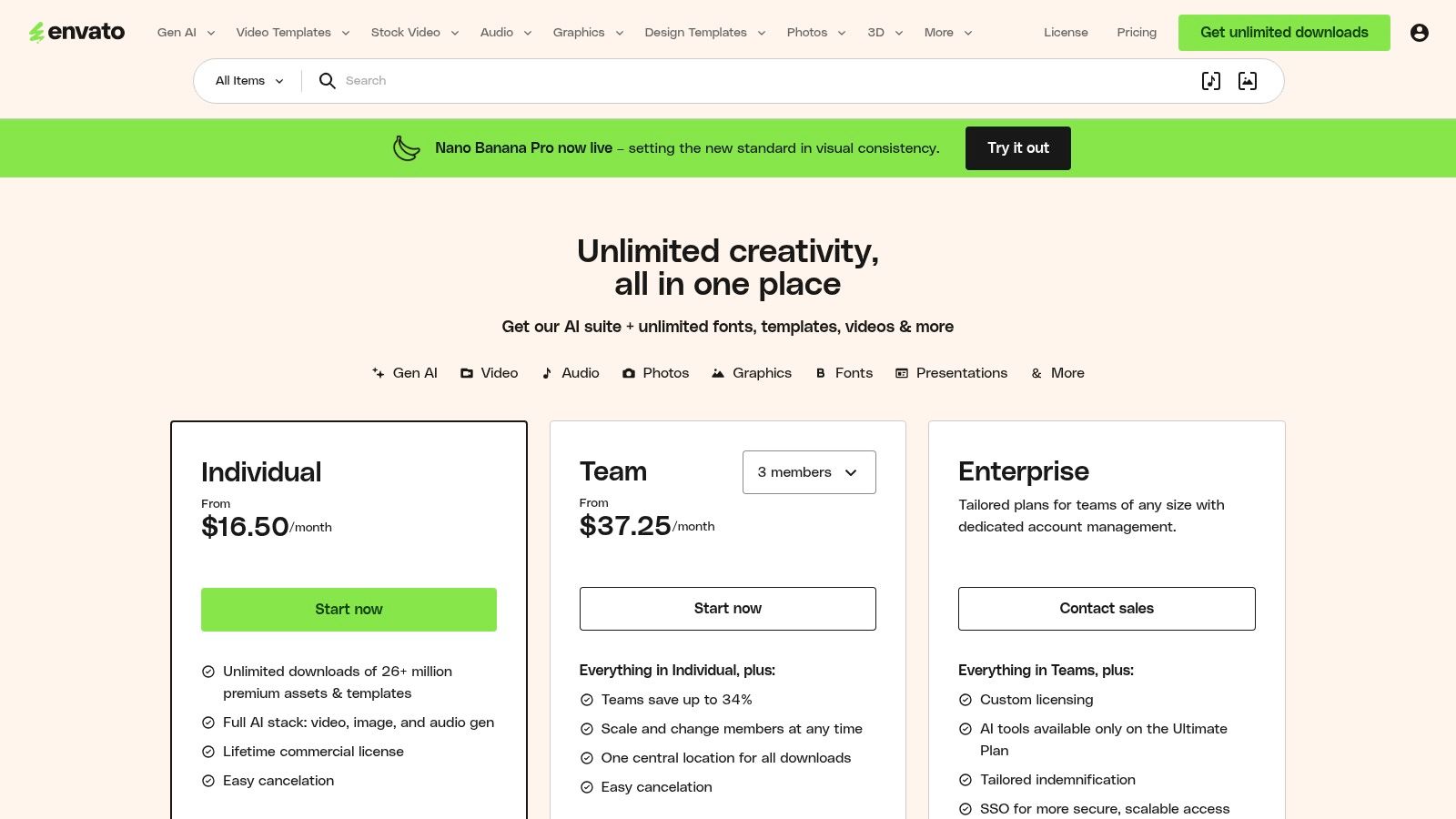
The platform's main advantage is its comprehensive commercial license, which covers nearly all use cases and remains valid for registered projects even after a subscription ends. This simplifies legal compliance for agencies and brands. However, its value diminishes for users with minimal asset needs, and support is limited to self-serve documentation, which can be a drawback for those requiring hands-on assistance. Fair use policies and AI generation limits also apply.
Key Features & Pricing
| Feature | Individuals ($16.50/mo) | Teams ($29.00/mo/member) | Enterprise (Custom) | | :--- | :--- | :--- | :--- | | Unlimited Downloads | Yes | Yes | Yes | | Asset Library | 26M+ | 26M+ | 26M+ | | Commercial License | Simple | Simple | Simple | | Team Management | No | Centralized billing & downloads | Yes + SSO | | AI Tools | Limited access (credits) | Included | Included |
Use Case: Building a Consistent Brand Video Series
Imagine your team is launching a weekly video series on YouTube and Instagram. With Envato Elements, you can download a motion graphics template for the intro, select royalty-free background music, find high-quality stock footage for B-roll, and use custom fonts for lower-thirds. All assets are covered under one license, streamlining the entire production workflow and keeping costs predictable. To further enhance your campaigns, you can find high-quality social media content templates to get started quickly.
- Best for: Agencies and content creators who need a large volume of diverse digital assets.
- Link: Envato Elements Pricing
10. Placeit by Envato
Placeit by Envato excels as a browser-based mockup and video template generator, making it one of the most efficient social media content creation tools for e-commerce brands and merchandise creators. It allows users to quickly produce professional-looking visuals by placing their logos, designs, or screenshots onto a vast library of real-world objects and scenes. This eliminates the need for costly photoshoots or complex design software to create realistic product images.
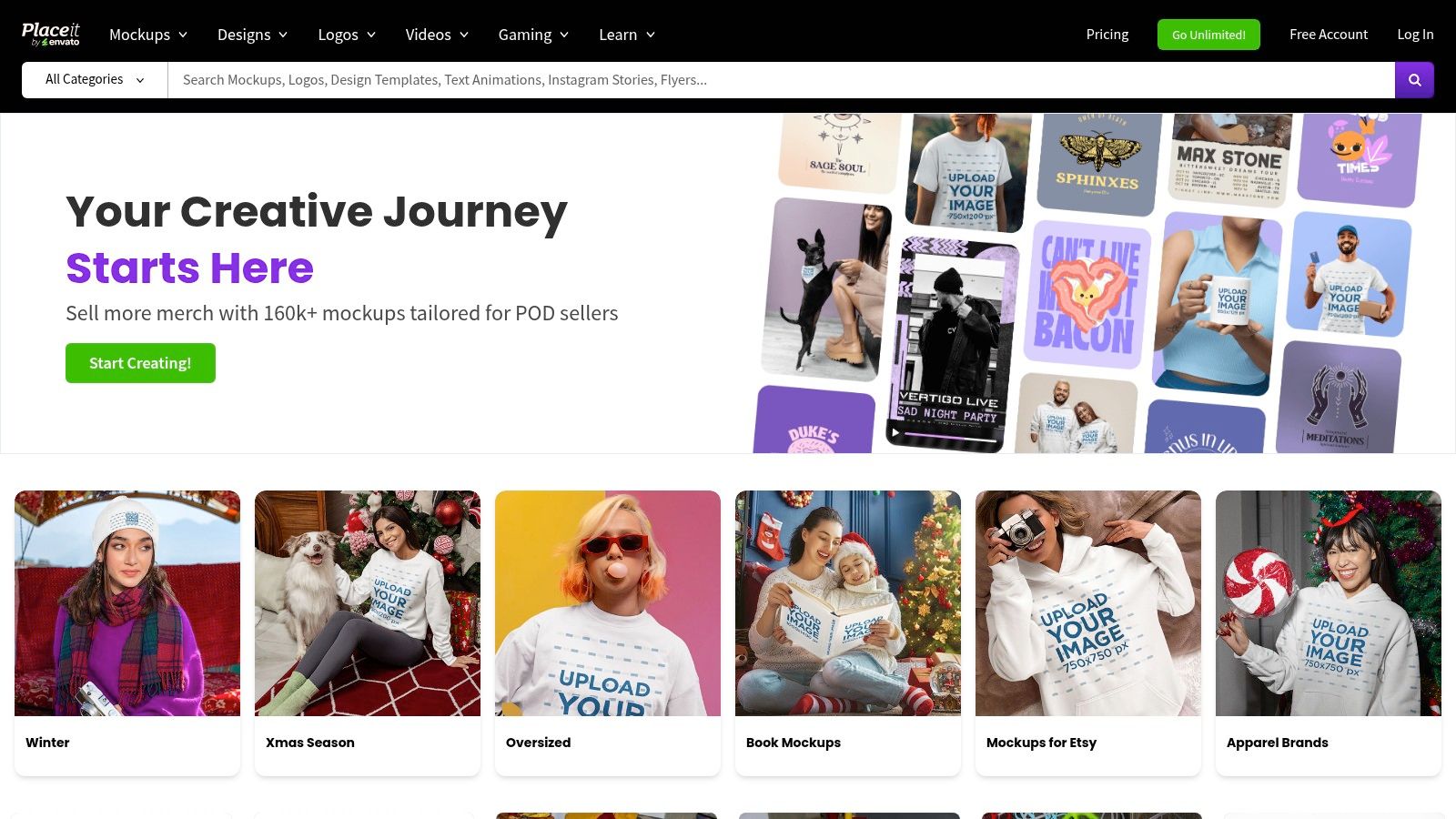
The platform’s key advantage is its speed and simplicity for creating user-generated content (UGC) style posts and branded merchandise mockups. You simply upload your design, and Placeit handles the rest. While the subscription offers the best value with unlimited downloads, some users have noted frustrations with billing support and the limitations on individual purchases. The platform also offers a wide range of social media templates, logos, and video intros/outros.
Key Features & Pricing
| Feature | Free Account | Individual Purchase | Unlimited Subscription ($7.47/mo) | | :--- | :--- | :--- | :--- | | Free Templates | Limited selection | N/A | Full access | | Mockup Library | Watermarked previews | Starts at $7.95/mockup | Unlimited downloads | | Video Templates | Watermarked previews | Starts at $9.95/video | Unlimited downloads | | Commercial License | No | Included per item | Included for all downloads | | Design Tools | Basic logo & design makers | N/A | Full access |
Use Case: E-commerce Product Launch
An apparel brand is launching a new t-shirt design. Instead of arranging a photoshoot, they upload the design to Placeit and instantly generate dozens of mockups featuring diverse models in various settings. They can create Instagram posts, Stories, and Facebook ads showing the shirt in realistic contexts. This workflow allows them to quickly test different designs and generate high-quality promotional assets in minutes, not days.
- Best for: E-commerce brands needing fast, realistic product mockups and social video assets.
- Link: Placeit
11. Creative Market (Membership + Marketplace)
Creative Market acts as a vast digital bazaar for unique design assets, setting it apart from template-driven social media content creation tools. Instead of an in-house library, it connects you with over 25 million assets like social media templates, fonts, photo presets (LUTs), and mockups from independent creators. This makes it an ideal source for developing a distinct, non-cookie-cutter brand aesthetic that stands out in a crowded feed.
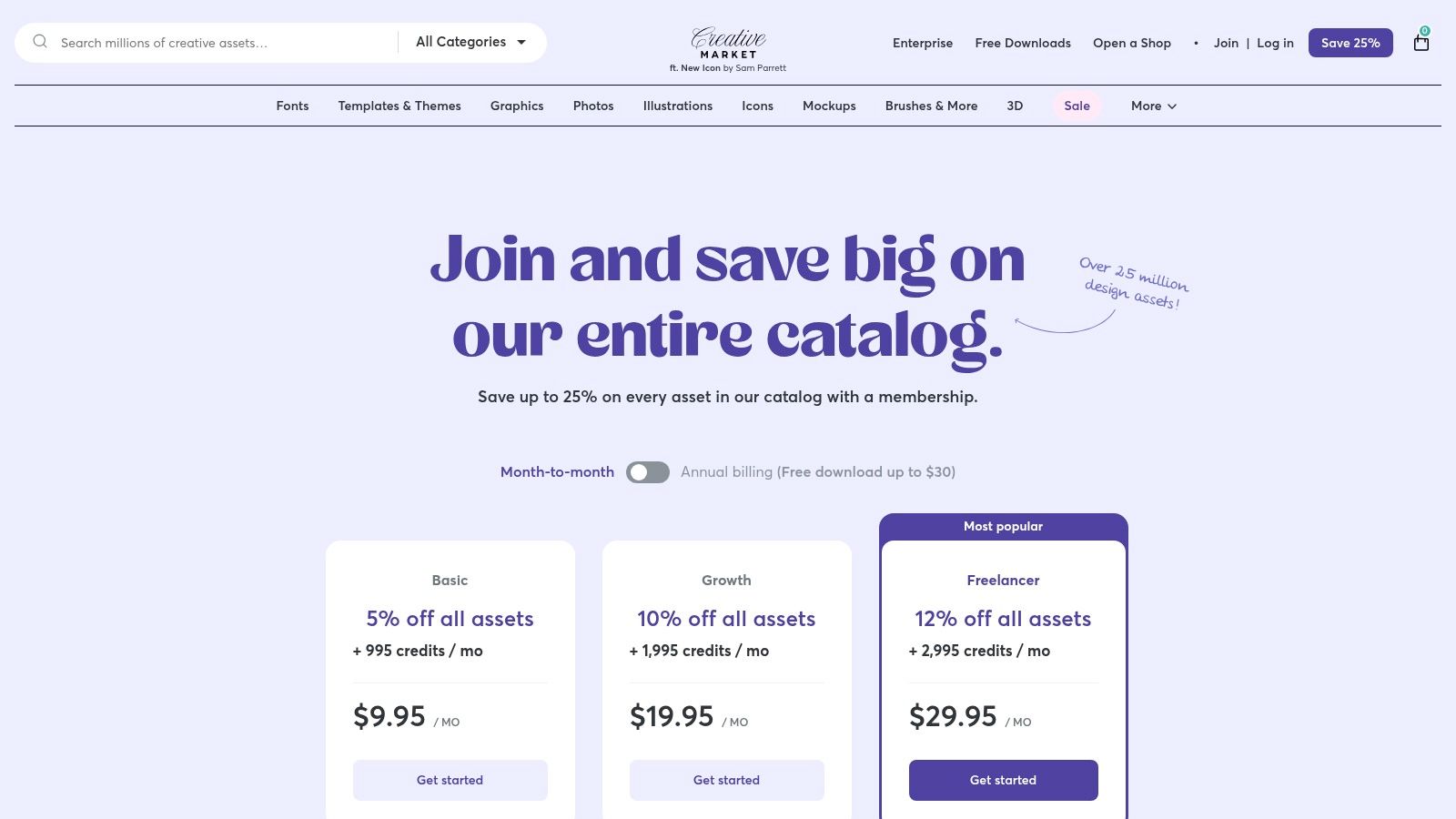
The platform's main advantage is the sheer diversity and quality of its offerings, allowing brands to source niche aesthetics. While assets can be purchased individually, the membership plans offer a more cost-effective model for frequent buyers by providing monthly credits and site-wide discounts. A key drawback is that asset quality can vary between sellers, and the credit system has a learning curve as its value isn't a direct one-to-one conversion with dollars.
Key Features & Pricing
| Feature | Pay-as-you-go | Spark ($9.95/mo) | Bolt ($19.95/mo) | | :--- | :--- | :--- | :--- | | Monthly Credits | N/A | 300 | 1,000 | | Credit Rollover | N/A | Yes | Yes | | Member Discount | None | 15% off | 20% off | | Creator Access | 25M+ assets | 25M+ assets | 25M+ assets | | Licensing | Clear per-item | Clear per-item | Clear per-item |
Use Case: Sourcing a Unique Brand Aesthetic
Imagine a new wellness brand wants an Instagram feed with a hand-drawn, earthy feel that Canva templates can't replicate. On Creative Market, the social media manager can purchase a specific font family, a set of custom Lightroom presets for a consistent photo style, and a bundle of editable Instagram Story templates with a unique artistic flair. This allows for a highly curated and memorable brand identity from day one.
- Best for: Brands and agencies seeking unique, high-quality design assets to build a distinct social media presence.
- Link: Creative Market Membership
12. Microsoft Clipchamp
For creators embedded in the Microsoft ecosystem, Clipchamp emerges as a highly convenient and capable social media content creation tool. This social-friendly video editor simplifies the process of creating polished content for platforms like Reels, TikTok, and Shorts. It integrates a familiar, timeline-based interface with modern, AI-powered features, making video production accessible without a steep learning curve.
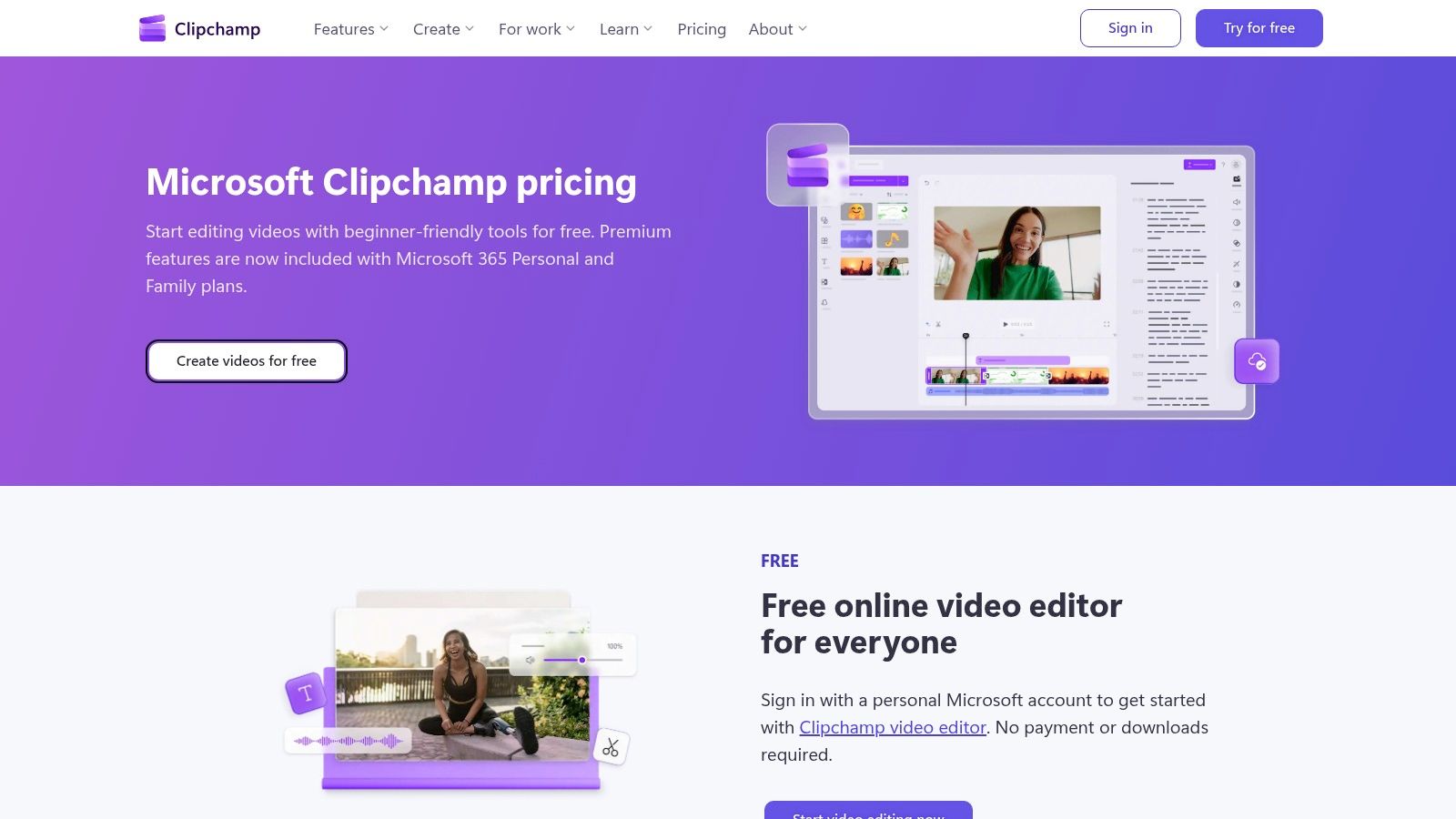
The platform’s major advantage is its generous free tier, which offers watermark-free 1080p exports, a feature many competitors gate behind a paywall. The premium version, bundled with Microsoft 365 Personal or Family subscriptions, unlocks 4K exports, a brand kit, and a larger stock content library. However, its primary value is for existing Microsoft 365 users, as others might find standalone video editors more feature-rich.
Key Features & Pricing
| Feature | Free | Premium ($11.99/mo) | | :--- | :--- | :--- | | Export Quality | Up to 1080p (HD) | Up to 4K (UHD) | | Watermark | None | None | | AI Features | AI autocaptions, text-to-speech | All free features | | Stock Assets | Free stock audio, video, images | Premium stock assets | | Brand Kit | No | Yes |
Use Case: Quick Turnaround on Captioned Social Videos
Imagine you need to produce a short promotional video for Instagram Reels with accurate subtitles. Using Clipchamp, you can upload your footage, use the template library to ensure correct formatting, and apply the AI autocaptions feature to generate subtitles instantly. You can then use the text-to-speech tool for a clean voiceover, exporting the final 1080p video for social media without any watermarks, all within the free plan.
- Best for: Microsoft 365 users and individuals needing high-quality, watermark-free video exports without a budget.
- Link: Microsoft Clipchamp
Top 12 Social Media Content Creation Tools — Feature Comparison
| Tool | Core features | UX / Quality (★) | Value & Pricing (💰) | Target audience (👥) | Unique selling point (✨) | |---|---:|:---:|---|---|---| | Countdown Timer App 🏆 | Server-driven auto-updating Facebook & web countdowns, customizable templates, editable after publish, embeddable clocks | ★★★★☆ (4.5/5) | 💰 Free plan; premium tiers for higher update frequency | 👥 Social managers, SMBs, e‑commerce, event organizers, agencies | 🏆 ✨ Auto-refreshing branded countdowns published directly to FB + web embeds | | Canva | Massive template & asset library, AI tools, brand kits, scheduling | ★★★★☆ (4.5/5) | 💰 Freemium; Pro subscription for full assets & teams | 👥 Marketers, small teams, non-designers | ✨ Huge template/asset library + fast design workflows | | Adobe Express | Templates, Adobe Stock access, brand kits, one-click resize | ★★★★ (4/5) | 💰 Freemium; Premium via Adobe subscription | 👥 Brands needing Adobe ecosystem & licensed assets | ✨ Adobe Stock licensing + smooth Adobe app handoffs | | CapCut | Mobile-first video editor, social templates, effects, auto-captions | ★★★★ (4/5) | 💰 Free; in-app purchases on some platforms | 👥 Short-form creators, influencers, mobile editors | ✨ Trend-ready templates & TikTok-style effects | | Descript | Text-based video/audio editing, transcription, overdub, filler removal | ★★★★☆ (4.5/5) | 💰 Freemium; paid tiers for overdub/Studio Sound | 👥 Podcasters, creators repurposing long-form content | ✨ Edit-as-text + powerful overdub/transcription tools | | Kapwing | Browser video editor, auto-subtitles, templates, brand kit | ★★★★ (4/5) | 💰 Freemium; paid for higher export limits | 👥 Social managers, small teams, content repurposers | ✨ Strong captioning & dubbing workflow in-browser | | VEED | Social video editor with AI clipper, subtitles, AI Playground | ★★★★ (4/5) | 💰 Freemium; AI credits for advanced models | 👥 Teams experimenting with AI video workflows | ✨ Access to multiple 3rd‑party AI video models | | InVideo | Script-to-video, AI generations, voiceover, credit-based quotas | ★★★★ (4/5) | 💰 Freemium; credit-based paid plans | 👥 Marketers, ad creators needing quick variants | ✨ Script-to-video + clear credit/quota model | | Envato Elements | Unlimited-download subscription for templates, video, music, fonts | ★★★★ (4/5) | 💰 Subscription (unlimited assets) | 👥 Agencies, heavy asset users, creators | ✨ Massive commercial-licensed asset library | | Placeit by Envato | Mockups, video intros/outros, social templates, one-click mockups | ★★★★ (4/5) | 💰 Subscription or pay-per-download | 👥 E‑commerce brands, product/merch creators | ✨ Fast realistic mockups and social-ready assets | | Creative Market | Marketplace of templates, fonts, LUTs, mockups; membership options | ★★★★ (4/5) | 💰 Pay-per-item; membership credits & discounts | 👥 Designers seeking unique/indie assets | ✨ Large indie marketplace for niche aesthetics | | Microsoft Clipchamp | Social templates, AI subtitles, voiceovers, MS365 integration | ★★★★ (4/5) | 💰 Free 1080p; premium features via Microsoft 365 | 👥 Microsoft 365 users, casual creators | ✨ 1080p free exports + MS365 ecosystem integration |
Building Your Ultimate Content Creation Stack
Navigating the landscape of social media content creation tools can feel overwhelming, but as we've explored, the goal isn't to find one perfect, all-encompassing application. The most effective social media managers and marketers build a specialized, complementary toolkit-a 'content creation stack'-where each tool is chosen to solve a specific problem with maximum efficiency. This strategic approach moves you away from a "jack-of-all-trades, master-of-none" workflow and toward a powerful, streamlined process.
The core takeaway is this: identify your most significant content bottlenecks and choose a specialized tool designed to eliminate them. The right combination of these applications will not only save you hours of manual work but also elevate the quality and consistency of your output. Your ideal stack is a dynamic ecosystem, not a monolithic platform. It's about combining the visual prowess of a tool like Canva for static graphics, the intuitive video editing of CapCut for Reels, and the highly specific functionality of an app like Countdown Timer App to drive urgency for events and promotions.
Matching the Tool to the Task
To help you build your own custom stack, let's distill the insights from our list into a quick-reference guide. Consider this a starting point for auditing your current workflow and identifying opportunities for optimization.
Your Quick-Start Guide to Building a Content Stack:
- For creating urgent, event-driven Facebook posts:
- Best Bet: Countdown Timer App - Its singular focus on generating engaging, shareable countdowns with automated updates makes it irreplaceable for launches, sales, and event reminders.
- For all-purpose graphic design and templates:
- Best Bet: Canva - Unbeatable for its ease of use, vast template library, and collaborative features, making it the cornerstone of most social media stacks.
- Alternative: Adobe Express - A strong contender, especially for those already in the Adobe ecosystem, offering seamless integration and powerful AI features.
- For quick, mobile-first video editing:
- Best Bet: CapCut - Perfect for creating trend-focused TikToks and Instagram Reels directly on your phone with auto-captions and viral effects.
- For advanced, AI-powered video and audio editing:
- Best Bet: Descript - The go-to for podcasting, interviews, and repurposing long-form video content by editing the transcript, a true game-changer for efficiency.
- For sourcing high-quality, unlimited creative assets:
- Best Bet: Envato Elements - A subscription-based powerhouse for stock video, music, photos, and design templates, offering incredible value for high-volume creators.
Implementing Your New Tools
Choosing the right social media content creation tools is only the first step. To truly benefit, focus on integration. Start small by identifying your most time-consuming task. Is it adding captions to videos? Try Descript or CapCut's free tier. Is it creating a sense of urgency for a flash sale? Implement Countdown Timer App for your next promotion and measure the engagement difference.
As you become more advanced, you can create powerful workflows. For instance, you could design a branded video template in Canva, populate it with stock footage from Envato Elements, edit it in VEED, and then use Countdown Timer App to promote the final video's premiere on Facebook. To expand your capabilities for rapid content generation even further, consider incorporating advanced workflows like Script to Video AI content creation, which can transform simple text into compelling video assets with minimal effort.
Ultimately, the goal is to build an adaptable system that frees you from tedious production tasks. By investing time in building your perfect content stack, you reclaim your most valuable asset: the strategic headspace needed to analyze performance, engage with your community, and drive meaningful results for your brand.
Ready to eliminate the manual work behind your promotional posts? The Countdown Timer App is one of the most specialized social media content creation tools available, designed to generate urgency and boost engagement for your most important announcements. Create your first dynamic countdown timer for your next Facebook sale, event, or launch and watch your audience take notice. Start driving action today with Countdown Timer App.


