
Add a Live Countdown Timer to Boost Conversions
Learn how to use a live countdown timer on your website or Facebook page. Follow our guide to create urgency, increase engagement, and drive sales.
A live countdown timer is one of the most effective marketing tools I've ever used. It’s a simple visual that shows exactly how much time is left before a sale ends, a product drops, or an event begins. When done right, this little clock can boost conversion rates by as much as 30% for your promotions. It’s a game-changer.
Why a Live Countdown Timer Is Your Secret Weapon
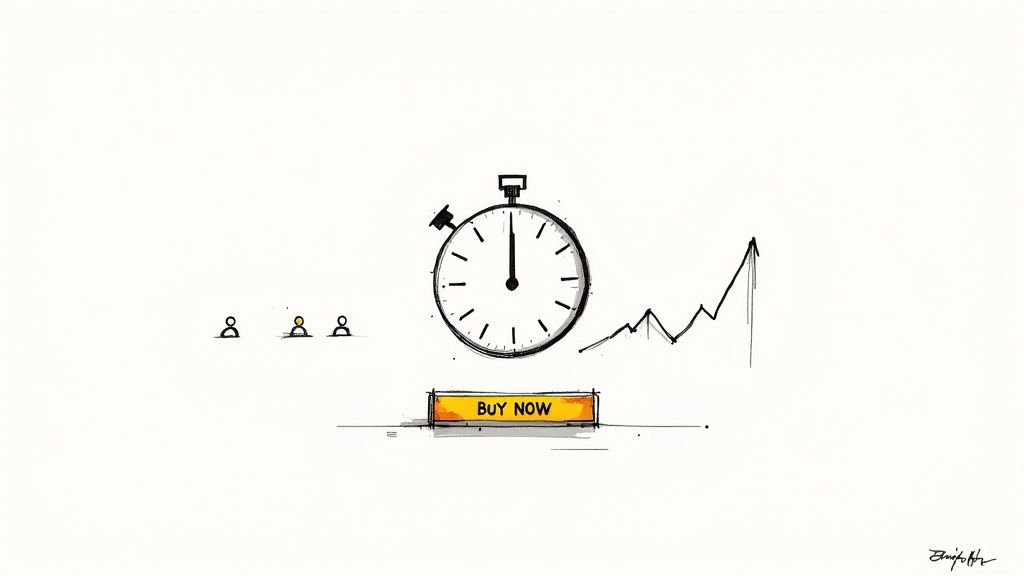
Let’s be honest: getting customers to act now instead of "later" is a constant battle. People are natural procrastinators. A live countdown timer is the perfect pattern interrupt—it introduces a clear, tangible deadline and creates a healthy dose of FOMO (Fear of Missing Out).
That simple ticking clock transforms a passive browsing session into an active, decision-making moment. It tells your audience that the opportunity—whether it's a flash sale or an early-bird ticket—is finite and disappearing with every single second.
The Psychology Behind the Ticking Clock
This isn't just a gimmick; it’s rooted in solid behavioral psychology. When we see time visibly running out, our brains automatically perceive the offer as more valuable. This principle, known as scarcity, makes us far more likely to commit to a purchase just to avoid the feeling of loss.
I’ve seen this work wonders in so many scenarios:
- Flash Sales: Timers create an intense, short-term burst of energy. A 24-hour sale with a visible clock gets people to buy on the spot instead of saving the page for later and completely forgetting about it.
- Product Launches: Building hype for a new product? A "launching in..." timer turns a basic announcement into a must-see event. Your audience gets excited and is ready to buy the second it goes live.
- Webinar Sign-ups: A countdown to registration closing is the perfect nudge for anyone on the fence. It signals that spots are limited or the chance to learn will be gone for good.
If you want to dig deeper, our article explores why a live timer is a secret weapon for building authentic urgency that drives action.
The goal isn't to create fake pressure. It's about clearly communicating the real timeline of a genuine offer. An authentic deadline paired with a real-time visual cue gives customers who are already interested that final push they need to take action.
By adding a live countdown timer to your website or Facebook page, you give your audience a compelling reason to stop procrastinating. It’s a small change that can deliver some seriously big results.
Choosing the Right Countdown Timer Tool
Picking the right tool for your live countdown timer is a bigger deal than most people think. Seriously. The wrong one can lead to a clunky user experience, slow your page to a crawl, or just plain fail to show up correctly on mobile. The goal here is to find a reliable solution that feels like a natural part of your brand and marketing.
Not all timers are built the same. Some are simple website widgets, while others are full-blown apps designed specifically for platforms like Facebook. You need to think about where your audience lives and breathes. If you're trying to build buzz on social media, a dedicated tool made for that world is always going to give you better features and fewer headaches.
Core Features That Actually Matter
When you start comparing options, it’s easy to get bogged down in a laundry list of features. I've been there. But after running hundreds of campaigns, I can tell you that only a few are truly mission-critical. Focus on these non-negotiables, and you’ll pick a winner every time.
- Mobile Responsiveness: It's a mobile-first world. With over 58% of all website traffic coming from mobile devices, a timer that looks broken on a phone is a deal-breaker. You’re effectively shutting out more than half of your audience. Always, always test a tool’s mobile preview before you commit.
- Customization Options: A generic, out-of-the-box timer can make your brand look cheap. The best tools let you easily tweak colors, fonts, and backgrounds to perfectly match your brand’s vibe. This kind of consistency is what builds trust and makes you look professional.
- Embedding Simplicity: You shouldn't need to hire a developer just to get a timer live. Look for tools that give you a simple copy-and-paste embed code for websites or offer direct, one-click integrations for social platforms.
For social media managers, finding an app specifically built for event countdowns on Facebook can be a massive time-saver. If that's you, you can learn more about finding the right Facebook event countdown app in our detailed guide.
Free vs. Paid: What Is the Real Difference?
Ah, the classic "free vs. paid" debate. It's a big one, especially for small businesses watching every penny. While free tools sound great on paper, they often come with hidden costs—like limited features, ugly third-party branding on your timer, or painfully slow update intervals.
Let’s quickly compare what you typically get.
Countdown Timer Tool Feature Comparison
Here's a quick look at how free and paid countdown timer tools usually stack up against each other. It’s a great way to see what you’re really getting (or giving up) with each option.
| Feature | Free Tools (Typical) | Paid Tools (Typical) | | :--- | :--- | :--- | | Customization | Basic color and font choices | Full brand control, custom fonts, and background images | | Update Interval | Slower (e.g., every 30-60 minutes) | Faster (e.g., every 1-5 minutes or real-time) | | Support | Limited to community forums or FAQs | Dedicated customer support via email or chat | | Branding | Often includes the provider's logo or a backlink | Completely unbranded for a professional look | | Advanced Features | Basic countdown to a specific date | Time zone management, post-countdown actions, analytics |
As you can see, the differences are pretty stark. A paid tool often pays for itself simply in reliability and professionalism.
When you’re running a huge product launch or a Black Friday sale, the absolute last thing you want is for your timer to crash or show the wrong time. Investing a few bucks is a small price to pay to ensure your campaign runs without a hitch.
At the end of the day, the right timer depends entirely on your needs. A free tool might be perfectly fine for a small, internal team event. But for a high-stakes marketing campaign where every second counts? The reliability and advanced features of a paid solution give you peace of mind and, frankly, a much better return on your investment.
How to Create and Customize Your First Timer
Alright, let's get down to business and build your first live countdown timer. This is where the fun begins. We'll walk through the process together using a common tool as our guide, so you can see just how simple it is to get a professional-looking timer up and running in minutes—no tech skills required.
The initial setup is refreshingly simple. Most platforms will greet you with a clean interface where you just need to plug in the basic details for your countdown. Forget about coding; this part is all about making a few key decisions to bring your timer to life and make sure it aligns with your campaign.
First things first, you'll usually have to decide between a free or paid tool. This little flowchart breaks down that initial choice perfectly.
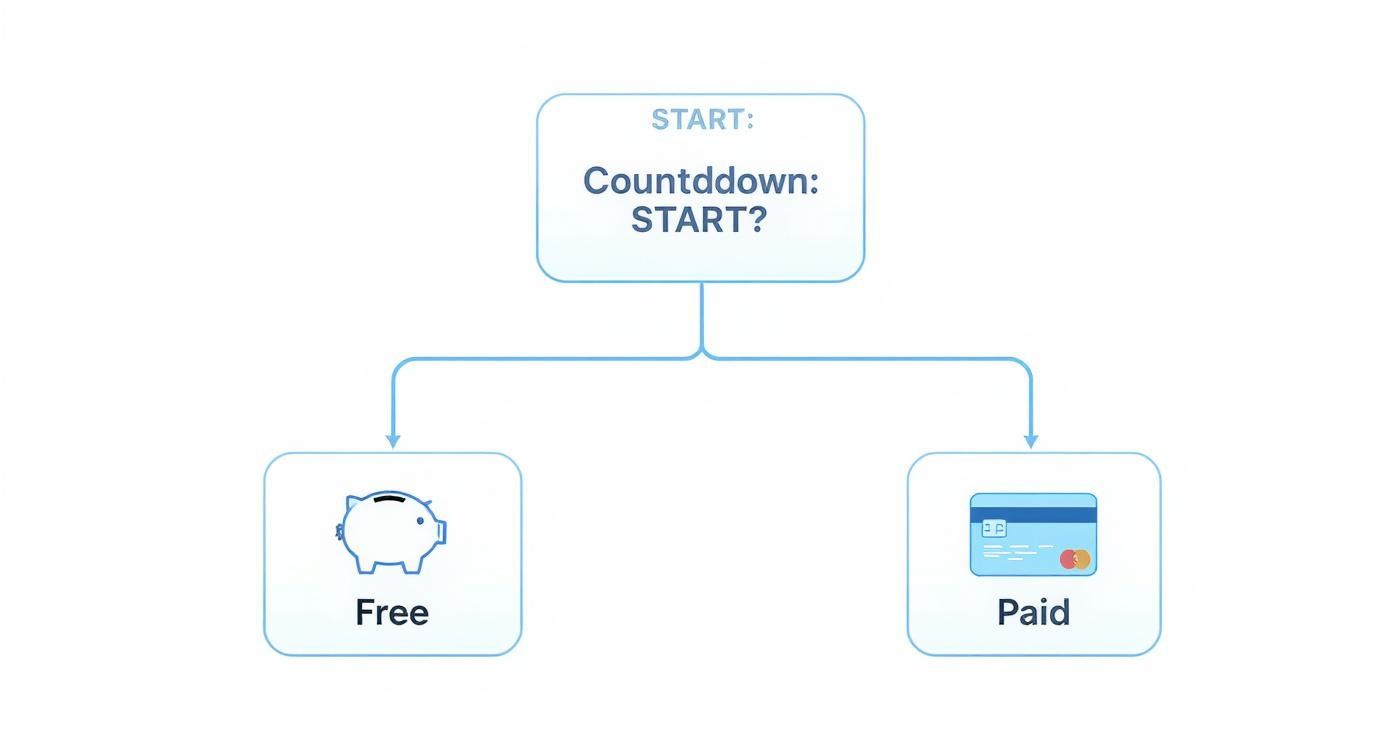
As you can see, your budget is the first fork in the road. Free tools are great for getting started, while paid options typically unlock more powerful customization features and better support.
Setting the Core Countdown Details
Your first job is to define the "when." This means setting the exact date and time your countdown will end. Be specific. If you’re launching a new product, maybe that’s 9:00 AM sharp on Tuesday. For a flash sale, it could be midnight on Friday.
This is also where you’ll tackle time zones—a detail you absolutely can't afford to get wrong if you have a global audience. The best tools handle this automatically by setting a universal end time (like UTC). You just set the deadline once, and the app makes sure the timer is accurate for every single person who sees it, no matter where they are in the world.
Customizing the Look and Feel
Now for the fun part: making the timer look like it belongs to you. A generic, out-of-the-box timer can look a little clunky or even untrustworthy. Customization is what transforms a simple clock into a slick, branded marketing asset.
Most quality tools give you plenty of creative control:
- Colors: Tweak the background and text colors to perfectly match your brand’s palette. I usually go for a bold, high-contrast color to make the timer really pop off the page.
- Fonts: Choose a font that’s consistent with your website or social media branding. It’s a small detail that creates a seamless look.
- Backgrounds: Some platforms even let you upload a custom background image. This is perfect for showing off a product photo or an event graphic behind the clock.
The goal here isn't just to make it functional; it's to make it visually consistent with your brand. A well-designed timer builds trust and makes your entire promotion feel more legitimate and compelling.
Believe it or not, this consistency really matters. Some studies show that presenting your brand consistently can boost revenue by up to 33%. A countdown timer is just one piece of the puzzle, but every little detail adds up to a cohesive experience your customers will trust.
Deciding What Happens at Zero
So, what happens when the clock hits 00:00:00? This is a crucial step that people often forget. You definitely don't want to leave your visitors staring at an expired timer—it’s a dead end and a huge missed opportunity. Instead, you can guide them to their next action.
Most timer tools let you choose what happens post-countdown. Your most common options are:
- Displaying a Message: You can show a simple text message like "This Offer Has Expired!" or "The New Collection Is Now Live!"
- Redirecting to a URL: This one is my personal favorite for launches. You can automatically send visitors to another page—for example, redirecting them straight to the new product page the second the timer ends.
- Hiding the Timer: The timer simply vanishes from the page, cleaning things up and removing the now-irrelevant element.
For a flash sale, a clear "Expired" message works great. For a product drop, redirecting to the sales page is the perfect way to convert all that built-up anticipation into immediate sales. By thinking ahead and planning this final step, you create a smooth journey for your audience from start to finish.
Getting Your Timer Live on Your Website and Facebook
Alright, you've nailed the design. Your timer looks sharp, feels on-brand, and perfectly captures the vibe of your offer. Now for the most important part: getting it in front of actual people.
A countdown timer can't create urgency if no one sees it. Placing it strategically on your website and Facebook Page is where the magic really happens.
The great news? Modern timer tools have made this part incredibly simple. You won't need to touch a single line of code from scratch. It's usually just a quick copy-and-paste job that takes all of a minute.
Adding the Timer to Your Website
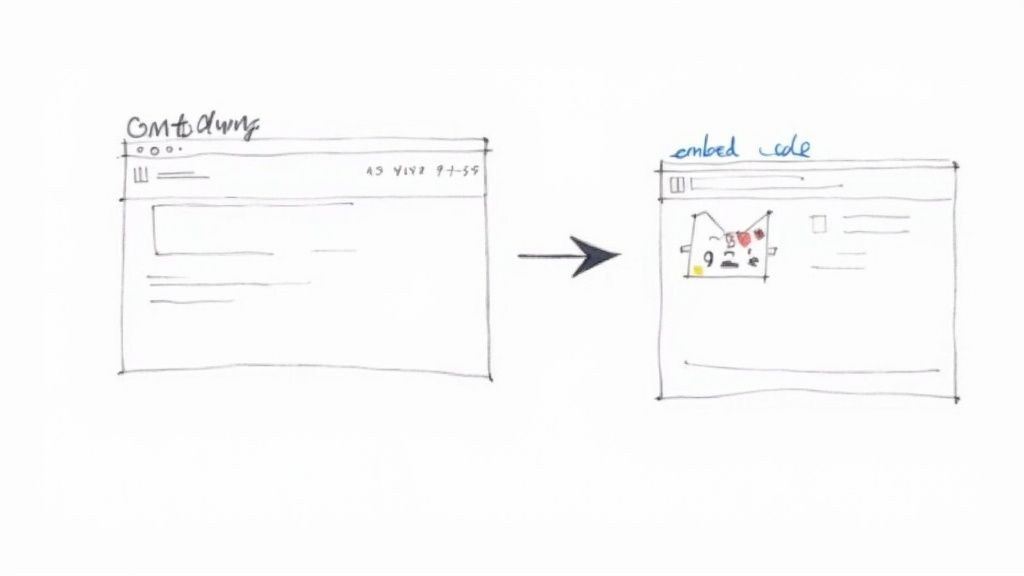
Getting your countdown onto your site is almost always done with an embed code. It's just a little snippet of HTML or JavaScript that your timer tool spits out for you.
Think of it like a little set of instructions that tells your website, "Hey, put that cool live timer right here."
The process is pretty much the same whether you're on WordPress, Shopify, Squarespace, or Wix. You just have to find the right spot to drop the code.
- First, grab the embed code. Inside your timer tool's dashboard, look for a "Share" or "Embed" button. Click it and copy the code snippet it gives you.
- Next, head to the page on your website where you want the timer. You're looking for an option to add a custom HTML, code, or embed block.
- Finally, just paste the code into that block and hit save or publish. Your timer should pop right up on the live page, ticking away.
If you want to get into the nitty-gritty, our complete guide has more details on how to embed a countdown timer in a website, including specific pointers for different platforms.
Strategic Website Placement
Now, where you put the timer is just as important as how it looks. You're aiming for maximum visibility without being annoying. From my experience, these are the high-impact spots that always work.
- Above the Fold: Slap that timer right at the top of your landing page or homepage. It’s the first thing people see, and it instantly sets a tone of urgency.
- On Product Pages: This is a no-brainer for sales. If you have a limited-time discount on a specific product, embedding the timer right on that page is ridiculously effective.
- In a Sticky Bar: A lot of website builders let you create a "sticky" announcement bar that stays fixed at the top of the screen as people scroll. It's a fantastic, non-intrusive way to keep that countdown in sight.
Sharing Your Timer on a Facebook Page
Putting a dynamic, auto-updating timer directly into a Facebook post works a bit differently. Facebook's platform is locked down; it won't let you embed the same kind of code a website does.
But this is where specialized tools like the Countdown Timer App come in. They get around this by creating an image of your timer that automatically refreshes.
You publish it straight from the app to your Facebook Page. The tool then works its magic in the background, updating that image in your post every few minutes. This clever workaround gives your followers that "live" feel as they see the time ticking down in their news feed.
Pro Tip: As soon as you've published your countdown post on Facebook, pin it to the top of your Page. This move keeps it front and center for anyone who visits, making sure your most urgent promo gets the spotlight it deserves instead of getting buried in the feed.
Smart Ways to Use Your Countdown Timer
A live countdown timer is so much more than a ticking clock on your page. When you use it with a little bit of strategy, it becomes a powerful marketing tool. The real magic happens when you line up your timer with what your audience is already doing or thinking, turning it from a simple gimmick into a serious conversion driver.
Instead of just slapping up a generic "24-Hour Sale," think about the timing. If you run an e-commerce brand, why not launch a flash sale right at 7 PM on a Tuesday? That's prime online shopping time, catching people when they're already browsing and in the mood to buy.
This simple tweak makes your offer feel both urgent and perfectly convenient. When you're planning these kinds of campaigns, pairing your timer with well-designed Shopify landing pages to maximize conversion is a killer combo. It creates a smooth, persuasive path for your customer from the first glance to the final click.
Aligning Timers with Industry Events
This same strategic mindset works wonders for B2B marketing, too. Let's say you're hosting a webinar for digital marketers. Instead of just picking a random date to close registration, set your countdown to end just a few hours before a major industry conference kicks off.
You're tapping into the existing buzz and excitement. Your audience is already in "learning mode" and thinking about their industry, which makes your last-minute webinar offer feel incredibly relevant. It’s a clever way to piggyback on the energy of a bigger event without spending a dime.
Creating High-Impact Event Countdowns
Beyond just sales, timers are phenomenal for building a groundswell of anticipation for events and content drops. Gaming companies are the undisputed masters of this. For a big game update or a new season launch, they'll often roll out a countdown timer days, sometimes even weeks, in advance.
This move is brilliant for two reasons:
- It builds community hype. Fans start sharing screenshots, speculating on social media, and creating a wave of organic buzz all on their own.
- It synchronizes the audience. The timer ensures a massive, fired-up audience is ready to log in the exact second the new content goes live, creating an electric launch moment.
This is how you turn a routine update into a can't-miss event. We dig deeper into these kinds of tactics in our guide on how to create urgency in sales.
Think timers are just for marketing? Think again. They're a critical tool in the high-stakes world of financial markets. With 252 trading days a year on the NYSE, traders across every time zone rely on these clocks. An estimated 1.5 million unique users check market countdown tools every month to track market openings and closings—a practice that has boosted user engagement by 25% during pre-market hours. You can see more on how timers synchronize global trading on TimeToMarketOpen.com.
By thinking creatively about timing, context, and your audience's behavior, you can elevate your live countdown timer from a basic tool to a strategic asset that delivers real, measurable results.
Got Questions About Your Countdown Timer?
Even with the best tools, a few questions always pop up when you're setting up your first live countdown. That's totally normal. Here are the answers to the questions we hear most often from social media managers and small business owners just like you.
Will a Countdown Timer Slow Down My Website?
This is a big one, and the short answer is: no, it shouldn't.
Most modern countdown tools are built with super lightweight code designed to have a minimal impact on your page’s loading speed. Good third-party tools are especially efficient because they load asynchronously, which is a fancy way of saying they don't hold up the rest of your page content while they do their thing.
Still, it never hurts to run a quick page speed test after you’ve installed it. A small check can give you peace of mind.
What Happens When the Timer Hits Zero?
You're in complete control here. The last thing you want is for your audience to hit a dead end after all that built-up excitement. The best tools let you decide exactly what happens when the time runs out.
Common options include:
- Showing a simple message like "This Offer Has Expired!"
- Hiding the timer completely to clean up the page.
- Redirecting visitors automatically to another page, like your homepage or a brand-new offer.
My personal favorite for product launches is the redirect. Automatically sending visitors to the new sales page the second the timer ends is a fantastic way to convert that anticipation into immediate action.
This keeps the customer journey moving forward and avoids any frustrating dead ends.
How Do I Make Sure My Timer is Accurate Across All Time Zones?
This is a huge deal for any business with a national or global audience. Thankfully, the best countdown tools handle this for you automatically. They don't rely on your visitor's local computer clock, which can be easily changed or just plain wrong.
Instead, they use a fixed endpoint, like a universal UTC timestamp. The tool then simply calculates the time left based on that single, fixed point for every single visitor.
This guarantees everyone sees the exact same countdown, whether they’re in New York or Tokyo. When you're picking a tool, make sure it manages time zones for you—it’s a non-negotiable feature for running a fair and effective campaign.
Ready to create a countdown that captivates your audience? With the Countdown Timer App, you can design and publish beautiful, auto-updating timers for Facebook and your website in just minutes. Start for free and see how easy it is to build urgency today.


