
How to Schedule Facebook Posts a Complete Guide
Learn how to schedule Facebook posts with our expert guide. We cover Meta Business Suite, mobile scheduling, and pro tips to boost your engagement.
Learning how to schedule Facebook posts isn't just some time-saving hack. It’s a complete strategic shift that takes your social media game from reactive and chaotic to proactive and planned. You get to map out your content calendar, lock in consistent brand messaging, and hit your audience right when they're most active—even if they're in a completely different time zone.
Why Scheduling Your Facebook Posts Is a Game-Changer
When you stop posting on the fly, you take back control of your brand’s story. Think about it: a small business owner can knock out an entire week's worth of content in a single afternoon. A global brand can coordinate a product launch across continents without a single hiccup. That’s the real power of a well-oiled content schedule.
This simple change transforms your Facebook page from a stream of random updates into a reliable source of value for your audience.
Consistency like this builds trust. When your followers know they can count on you for great content at regular times, they stick around. This predictable rhythm is also a huge plus for the algorithm, as Facebook tends to favor pages that keep up a steady, active presence.
Building a Strong Foundation for Growth
A planned content calendar lets you be much more intentional. Instead of scrambling for post ideas every morning, you can build out campaigns that tell a cohesive story over several days or even weeks. This strategic approach is what fuels bigger business goals, whether you're trying to drive traffic to a new blog, run a flash sale, or build hype for an event.
Plus, scheduling unlocks opportunities to post during peak engagement hours, not just when you happen to be at your desk. You can have a post go live at 7 AM while commuters are scrolling or late at night to catch a totally different crowd. You're maximizing the eyeballs on every single piece of content you create.
The move toward automation has completely reshaped how brands handle social media. In fact, scheduled posts now make up over 60% of all Facebook content published by businesses. The use of these tools has jumped by 45% in just the last three years alone as brands scramble for consistency and a better way to connect with global audiences.
Before we dive into the "how-to," let's quickly break down the core advantages you gain by scheduling your content in advance.
Core Benefits of Scheduling Facebook Content
| Benefit | Strategic Impact | | :--- | :--- | | Time Efficiency | Frees you up to focus on strategy, engagement, and analysis instead of daily posting. | | Consistent Presence | Maintains a regular posting cadence, which builds audience trust and satisfies the algorithm. | | Peak-Time Posting | Allows you to reach your audience when they are most active, regardless of your own schedule. | | Strategic Planning | Enables you to create cohesive, multi-part campaigns that align with your marketing goals. | | Error Reduction | Gives you time to proofread, get approvals, and avoid last-minute mistakes. |
Ultimately, having a solid scheduling system in place means you can spend your time and energy on what really matters—growing your brand.
The Shift to Proactive Social Media
At the end of the day, scheduling your posts is a fundamental part of modern social media management. It frees up your mental bandwidth to focus on the high-level stuff: engaging with your community, analyzing what works, and refining your creative strategy. Instead of being stuck on the content treadmill, you can work ahead and make smarter decisions.
Adopting a scheduling-first mindset means you're not just posting content; you're executing a well-oiled marketing plan. It's the difference between shouting into the void and having a meaningful conversation with your audience at precisely the right time.
This proactive approach lines up perfectly with the principles in this complete guide to marketing automation best practices, which is all about driving efficiency with data-backed decisions. By putting a scheduling system in place, you’re creating a sustainable workflow that supports real, measurable growth on Facebook.
Using Meta Business Suite to Schedule Your Posts
If you want to schedule posts directly on Facebook, Meta Business Suite is your command center. Think of it as your native content calendar, planner, and publisher all rolled into one—and it’s completely free. Getting the hang of scheduling here means you can manage your entire content pipeline without ever leaving the platform.
Jumping into the suite for the first time can feel a bit much, I get it. But its main purpose is actually pretty straightforward. It puts everything you need, from creating posts to checking their performance, right at your fingertips.
Finding Your Way to the Content Planner
Your scheduling journey starts in the Planner. This is the heart of your content calendar within Meta Business Suite. To get there, just log into your business's Facebook page and find the Meta Business Suite option in the menu on the left.
Once you’re in, you’ll see a navigation panel. Click on Planner, and a weekly or monthly calendar will pop up. This is where you'll get a bird's-eye view of all your scheduled posts for both Facebook and Instagram. It’s a great way to see your content strategy laid out visually.
Crafting and Scheduling Your First Post
With the planner open, you’re ready to get to work. Look for the Create Post button, which is usually right at the top of the screen. Clicking it opens the post composer, which is where your ideas turn into actual, scheduled content.
Here’s a quick rundown of what you’ll be working with:
- Media: You can upload photos and videos or create a carousel with several images. For instance, a local bakery could whip up a carousel post showing off its top five pastries, complete with mouth-watering photos for each.
- Text: This is your caption space. Make sure to throw in a clear call-to-action, some relevant hashtags, and tag any partners by using the "@" symbol followed by their page name.
- Location: If you have a physical store, adding a location is a must. A restaurant promoting a dinner special can tag its address to pull in local foot traffic.
Once your post looks good, it's time to schedule it. Instead of hitting "Publish," find the Scheduling options dropdown. Choose Schedule, and a calendar will appear, letting you pick the exact date and time for your post to go live.
A little pro tip: Pay attention to Meta’s "Optimal Times" suggestion. It crunches the numbers on your page's past performance to recommend when your audience is most likely to be online. This data-driven insight can give your post a serious initial boost.
This process is all about planning, automating, and then watching your presence grow.
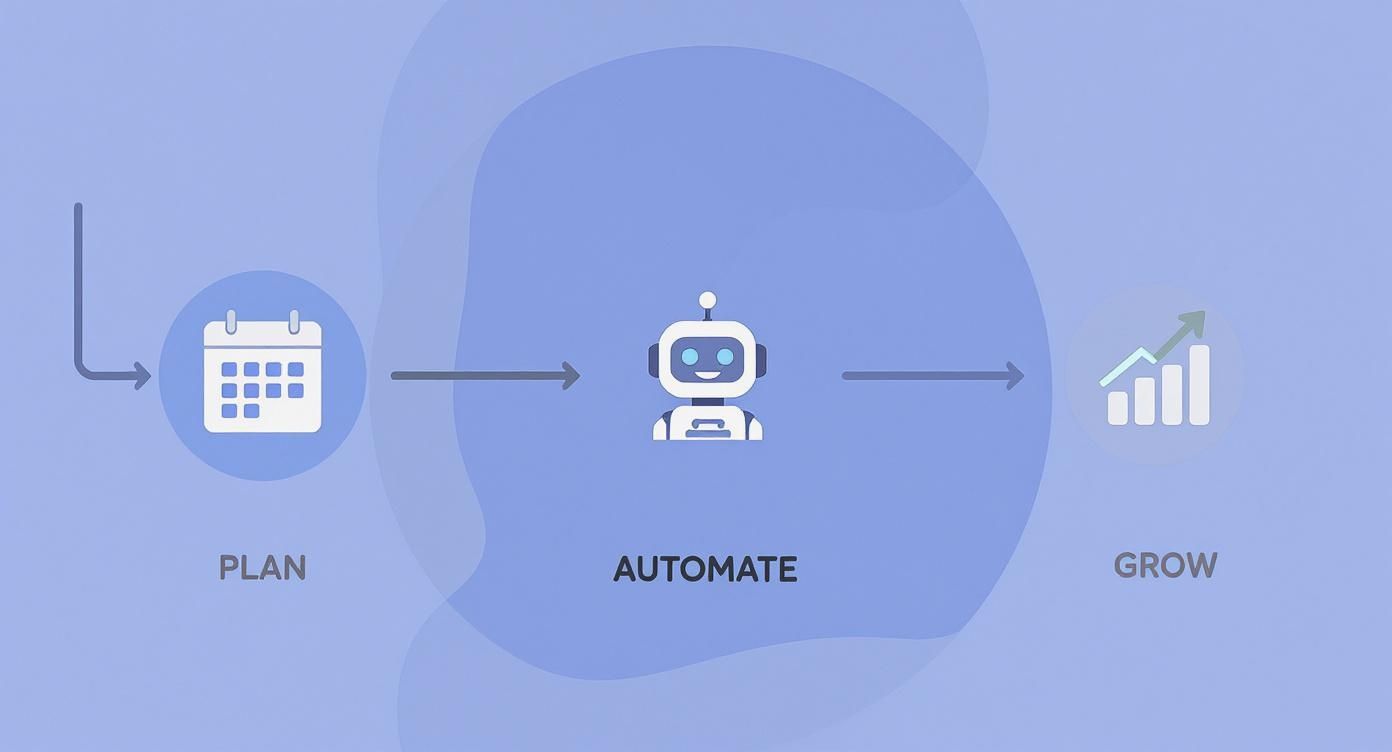
Automating the posting process frees you up to think about the bigger picture instead of getting bogged down in daily manual tasks.
Managing and Editing Scheduled Content
Let's be real—content plans are rarely set in stone. Promotions shift, news breaks, and sometimes you just need to tweak your schedule. Thankfully, editing posts in Meta Business Suite is a breeze.
From the Planner, you can see all your upcoming posts neatly arranged on the calendar. To make a change, just click the post you want to adjust. A menu will pop up with a few handy options:
- Edit Post: This takes you right back to the post composer, where you can change the text, media, tags, or location.
- Reschedule Post: If you only need to change the publishing time, this lets you pick a new date and time without messing with the content itself.
- Delete Post: If a post is no longer relevant, you can just remove it from your queue entirely.
Imagine you’ve scheduled a post for a weekend sale, but then find out a key item just went out of stock. You can quickly hop into the planner, click on the post, and update the caption before anyone ever sees it. This kind of control is vital for keeping your communication accurate and timely.
While Meta Business Suite is fantastic for managing Facebook and Instagram, some brands need more firepower. If you're juggling multiple social platforms or need advanced features like bulk scheduling, it might be worth exploring some of the best social media scheduling tools out there. For most businesses, though, Meta’s native tools have more than enough power to run a seriously effective content strategy.
How to Schedule Posts From Your Mobile Device

Let's be real, your best content ideas probably don't happen while you're sitting at your desk. They strike when you're out and about. That's why knowing how to schedule posts straight from your phone is a non-negotiable skill for any modern social media manager.
Your secret weapon for this is the Meta Business Suite mobile app. It’s not a watered-down version of the desktop tool; it’s the real deal, packing all the core scheduling features you need right into your pocket. It gives you the freedom to capture and schedule those authentic, on-the-go moments without missing a beat.
The Mobile Scheduling Workflow
If you've never scheduled from the app, you'll be surprised at how easy it is. First things first, grab the Meta Business Suite app from your phone's app store and get logged in.
When you're ready to create, just tap the big blue "+" (plus) button at the bottom of the screen. That's your gateway to creating new content.
From there, it's pretty familiar territory:
- Tap "Post" to start a new post.
- Write your caption, throw in your hashtags, and tag any relevant pages.
- Hit the photo/video icon to pull something from your camera roll or snap a picture right then and there.
Think about the real-world possibilities. You're a restaurant owner and the chef just created a masterpiece special. You can take a quick, high-quality photo and have it scheduled to post an hour before the dinner rush, all before the dish even leaves the kitchen.
Setting Your Schedule on the Fly
Once your post is looking good, don't just hit "Publish." Instead, tap "Next" in the top-right corner. This is where the scheduling magic happens.
You'll see a section for "Scheduling options." Choose "Schedule for later," and you’ll get a simple calendar and clock to pick your exact date and time. The app even gives you "Optimal times" suggestions, which is just as handy on mobile as it is on a desktop.
Being able to schedule from your phone completely changes the game. Content management stops being a rigid, planned-out task and becomes a fluid, opportunistic process. You can fill gaps in your calendar while you're waiting for a coffee or commuting home.
After you've picked your time, tap "Schedule," and you're all set. Your post will pop right into your content calendar, which you can check anytime in the "Planner" or "Content" tabs. Everything you schedule on mobile syncs perfectly with your desktop, keeping your entire strategy unified and consistent, no matter where you're working from.
Finding Your Best Times to Post on Facebook
Knowing how to schedule Facebook posts is only half the battle. The real trick is posting when your audience is actually there to see it. It's the difference between a post that gets a few pity likes and one that truly takes off.
While there’s plenty of general advice out there, the golden ticket lies in your own data. Generic timing is a shot in the dark; your Page’s analytics are the roadmap. This is how you shift from just posting content to publishing it with a purpose. Let’s dig in and find those sweet spots for your Facebook Page.
Starting with General Benchmarks
Before you get lost in your own analytics, it's good to know the lay of the land. Broad industry data gives us a solid baseline for when most people are thumb-scrolling through Facebook.
For instance, one massive analysis of over 2.5 billion social media interactions found that the best window for posting is typically between 8 a.m. and 6 p.m. Central Time on weekdays. Mondays through Thursdays tend to see the highest activity, which makes sense—people are checking their feeds during work breaks, commutes, and lunch.
This is a great starting point, but remember, every audience is different. The online habits of new parents are worlds apart from those of college students or night-owl gamers.
Using Meta Business Suite for Audience Insights
The most powerful data you have is sitting right inside your Meta Business Suite. This is where Facebook literally tells you, in no uncertain terms, when your followers are online.
Here’s how to find it:
- Head to Meta Business Suite from your Facebook Page.
- Click on Insights in the left-hand menu.
- From there, navigate to the Audience tab.
You'll see a graph showing the days and times your audience was most active over the past week. The darker the color, the more of your followers were online at that moment. This is your treasure map.
Don't just glance at this chart—live in it for a minute. Are there consistent spikes every weekday at noon? Does everything die down after 9 p.m.? These patterns are the bedrock of a smart content calendar.
Translating Data into a Posting Schedule
With this activity graph in hand, the guesswork is over. You now know exactly when to schedule your most important content. If you see a huge peak on Wednesdays at 1 p.m., that's a perfect slot for a big announcement or a can't-miss promotion.
Here’s a simple table that breaks down the two main approaches to timing your posts.
General Facebook Posting Times vs Your Audience Data
| Timing Strategy | Pros | Cons | | :--- | :--- | :--- | | General Benchmarks | Quick and easy to implement. A decent starting point if you have no data. | Not specific to your audience. Might completely miss your followers' peak times. | | Your Audience Data | Highly accurate and tailored to your followers. Leads to better engagement. | Requires you to analyze your own insights. Can change over time. |
Ultimately, your own data is always going to win. It’s tailored specifically to the people who have already raised their hands and said they're interested in what you have to say.
To get the most out of what you find, try this:
- Identify Your Top 3-5 Slots: Find the hours with the highest concentration of active followers. These are your new go-to posting times.
- Test and Refine: Don't just stick to the absolute peak. Try scheduling posts a little before the rush to be the first thing people see. We cover more on this in our guide on the https://www.countdown-timer.app/blog/facebook-countdown/best-time-to-post-facebook.
- Match Content to Timing: Lighter, fun content might do well during casual evening scrolling, while you can save your heavy-hitting business posts for weekday lunch breaks.
To really dial things in, pairing Meta’s built-in insights with a dedicated best Facebook analytics tool can give you an even clearer picture. This combination allows you to refine your timing with surgical precision, making sure every post you schedule has the best possible chance to connect.
Advanced Scheduling Tips for Pro Marketers
Knowing how to schedule a Facebook post is one thing. Turning that skill into a real strategy that saves you time and keeps your audience hooked? That’s where the pros really shine. It’s about building a content engine, not just filling a calendar.
One of the best ways to do this is with content batching. Seriously, stop trying to come up with a post idea every single day. Instead, block off a few hours—maybe on a Monday morning—and knock out an entire week's worth of content at once. You'll be more focused, the quality will be better, and your whole week will feel less chaotic.
Create a Balanced Content Calendar
If every single post is a sales pitch, people will tune you out. Fast. A successful Facebook feed has variety and gives people a reason to stick around.
Think about your content mix like this:
- Promotional Content (20%): This is your direct sales stuff—products, services, or special offers. Get straight to the point and drive action.
- Educational Content (40%): Share helpful tips, quick how-to guides, or your take on industry news. This is how you become the go-to expert.
- Behind-the-Scenes Content (40%): Show off your office, introduce your team, or share content your customers created. This stuff humanizes your brand and builds real connections.
Mixing it up this way creates a feed that’s actually interesting and provides value well beyond just what you’re selling.
Stay Consistent During Time Off
Scheduling is your absolute best friend when it comes to holidays or vacations. You can get everything planned and locked in well in advance, making sure your Facebook page stays active even when you’re completely offline. It keeps your momentum going and tells the algorithm you’re still in the game.
A well-stocked content queue means your marketing doesn't stop when you do. You can take that much-needed break knowing your brand's voice is still active, consistent, and connecting with your audience.
This kind of forward-thinking is key to smart social media management. If you want to go even deeper, our guide on how to automate social media posts has more strategies for building a hands-off workflow.
Balance Automation with Real-Time Authenticity
While scheduling is a lifesaver, a page that’s 100% automated can feel a bit… robotic. The secret is to leave a little room in your schedule for spontaneous, in-the-moment posts. Did something funny happen at the office? Is there a trending topic you can jump on? These posts add a layer of authenticity that you just can't schedule.
Speaking of timing, don't forget to look at the data. An analysis by Buffer found that posting early in the morning, between 5 a.m. and 7 a.m. local time, often gets fantastic results. Their research showed these early posts can see up to 25% more engagement. It turns out, catching people as they’re just starting their day can be a game-changer.
When you combine a solid, batched calendar with timely, authentic updates and smart, data-driven timing, scheduling stops being a chore and becomes a powerful marketing strategy.
Common Questions About Scheduling Facebook Posts
Even after you've got the hang of scheduling Facebook posts, a few tricky questions always seem to pop up. Think of this as your go-to FAQ for smoothing out the kinks in your workflow.
We'll cover the common sticking points, from editing limitations to whether scheduling secretly hurts your engagement. Let's clear up the confusion so you can keep your content calendar running like a well-oiled machine.
Can I Edit a Post After It Is Scheduled?
Yes, absolutely. This is one of the biggest perks of working ahead. Whether you're using Meta Business Suite or another tool, you can almost always go back and tweak a post before it goes live.
Imagine you’ve scheduled a big promo post for a new product, but the launch date suddenly gets pushed back a week. No problem. Just head to your content calendar, find the post, and bump it to the new date. You can also rewrite the caption, swap out the image, or add new tags without having to scrap the whole thing and start over.
This flexibility is crucial for staying agile and allows you to adapt to last-minute changes without derailing your entire content plan.
Your ability to edit scheduled content is a massive safety net. It transforms your content calendar from a rigid set of instructions into a dynamic plan that can evolve with your business.
Just remember to save your changes after editing. Once you hit "Schedule" again, the updated version is locked in and ready to go.
Why Can't I Schedule Posts on My Personal Facebook Profile?
This is a really common point of confusion. Facebook’s native scheduling tools are designed specifically for business pages, not personal profiles. The platform draws a hard line between personal use and commercial activity.
There are a couple of solid reasons for this:
- It's a Business Tool: Scheduling is considered a marketing function, so Facebook bundles it with other business-focused features like analytics, advertising, and audience insights. These tools just don't exist for personal accounts.
- The User Experience: Facebook wants to keep the personal News Feed experience feeling more spontaneous and authentic. Advanced publishing tools are reserved for pages that are broadcasting to an audience.
If you’re trying to schedule content for your brand, you absolutely must be operating from a Facebook Page. If you’ve been posting from a personal profile, now is the perfect time to create a dedicated page and unlock all these essential marketing tools.
Do Scheduled Posts Get Less Engagement?
This is a long-standing myth that just won't die. The short answer is no. A post’s engagement is driven by its quality and relevance to your audience, not by how it was published.
Facebook’s algorithm cares about content that sparks conversations and reactions. A fantastic post scheduled for a peak activity time will always crush a mediocre post published manually during a dead zone.
The things that actually move the needle on engagement remain the same:
- Compelling visuals (high-quality images or videos)
- An engaging caption with a clear call-to-action
- Posting when your audience is most active online
- Content that provides real value, whether it's educational, entertaining, or inspiring
Honestly, using a scheduler can actually help you improve these factors. It gives you the breathing room to perfect your copy and visuals and lets you strategically hit those optimal posting times you find in your analytics.
What Happens if I Schedule Two Posts for the Same Time?
Most schedulers, including Meta Business Suite, will let you do this, but it's generally a bad idea. Dropping multiple posts at once can feel spammy to your audience and may cause them to compete with each other for visibility in the News Feed.
Put yourself in your follower's shoes. Seeing three posts from the same page back-to-back is overwhelming and might even be annoying enough to trigger an unfollow.
A much smarter approach is to space your posts out. Even a gap of 30-60 minutes can make a huge difference. This gives each piece of content room to breathe and find its audience without cannibalizing the reach of another post. Use your content calendar to map out a steady, consistent flow of content rather than sudden, chaotic bursts.
Ready to take your Facebook engagement to the next level? With Countdown Timer App, you can create and schedule eye-catching, auto-updating countdowns for your product launches, sales, and events. Build anticipation and drive action with a tool designed to make your most important announcements unmissable. Start creating your first countdown for free at https://www.countdown-timer.app.


