
A Complete Guide to timer countdown for facebook
Discover how timer countdown for facebook can boost engagement, simplify scheduling, and optimize posts on Facebook with practical steps and tips.
Let's be honest, getting people to act now on social media is a real challenge. A timer countdown for facebook isn't just a gimmick; it's a powerful psychological trigger that creates genuine urgency, pushing users to engage with your event, sale, or launch before the opportunity disappears.
It’s the simple difference between someone scrolling past your post and someone clicking to learn more.
Why Facebook Countdown Timers Actually Work
Your Facebook feed is a battlefield for attention. A simple, static post about a future event can easily get buried in minutes. This is where a countdown timer completely changes the game, turning passive scrollers into active participants.
It’s not just about showing a ticking clock. It’s about tapping into some pretty fundamental human psychology.
The core principle here is the Fear Of Missing Out (FOMO). We're all susceptible to it. When people see time visibly slipping away, it creates a powerful sense of scarcity. An offer that’s available forever can be put off until "later," but an offer that disappears in 24 hours demands immediate attention.
Driving Action Through Urgency
Picture an e-commerce store running a 48-hour flash sale. A standard post might get a little bit of traction, sure. But a post with an auto-updating timer that shows “Sale ends in 1 day, 4 hours, and 22 minutes” creates a tangible, unignorable deadline.
Every time a user sees that post in their feed, the decreasing time reinforces the need to act fast. This isn't just a theory; it delivers real, measurable results.
Campaigns that use countdown timers regularly see big boosts in engagement. Some reports I've seen indicate that Facebook campaigns with countdowns saw a 27% increase in click-through rates and even a 19% rise in completed purchases. That visual pressure is often the final nudge a customer needs.
If you're interested in the data behind it, WiserNotify has some great insights on countdown effectiveness.
A countdown does more than just inform; it motivates. It shifts the user's mindset from "I'll check this out later" to "I need to do this now before it's too late."
Building Anticipation for Events
This strategy works for way more than just sales. Let's say you're a consultant getting ready to launch a free webinar. By posting a countdown timer a week in advance, you start building an audience and creating buzz before the event even starts.
This approach works on multiple levels:
- Visibility: The constantly updating post keeps your event top-of-mind and bumps it up in the newsfeed.
- Commitment: People who see the countdown are more likely to mentally commit to attending. It feels more official.
- Social Proof: As likes, comments, and shares pile up on that single post, it signals to others that your event is something worth paying attention to.
At the end of the day, a timer countdown for Facebook works because it makes your message dynamic and time-sensitive in what is otherwise a very static digital environment.
Creating a Countdown That Grabs Attention
Alright, you get the psychology behind it. Now for the fun part: actually building a timer countdown for Facebook that stops people from scrolling past. This is about way more than just plugging in a date. The look, feel, and setup are what elevate a simple timer into a serious marketing tool.
First things first, you'll need a good third-party app. Facebook doesn't have a built-in feature for auto-updating countdowns in posts, but plenty of other tools do. The key is finding one that lets you get creative with customization and connects securely to your Facebook Business Page without asking for the keys to the kingdom.
Starting with a Solid Foundation
Once you’ve picked your tool, getting started is usually a piece of cake. You'll connect your Facebook Business Page, which is typically just a quick authorization pop-up. After that, the real work begins—turning a generic template into something that screams your brand.
You’ll start with the basics:
- End Date and Time: Get this right down to the minute. If your sale wraps up at midnight, make sure the timer says so. Vague timing just leads to confused (and annoyed) customers.
- Time Zone: This is so easy to forget, but so important. Always set the correct time zone for your main audience. Nothing kills the vibe of a global campaign faster than an inaccurate countdown.
Nailing these first steps ensures your timer is not only slick-looking but also accurate and reliable.
Your countdown's whole job is to build urgency and trust. If it's sloppy or wrong, you'll damage both and hurt your brand's credibility.
Customizing Your Countdown Design
This is where the magic happens. A generic, out-of-the-box timer can look cheap and feel completely disconnected from your page. You want to align every single visual element with your brand identity.
Here's a peek at what a typical countdown editor looks like. As you can see, you get a ton of options to play with.
This is where you can dial in everything from the background image to the font, making sure the final product looks seamless.
Here’s what you should focus on:
- Backgrounds: Don't just settle for a plain color. Upload a killer product shot, a graphic for your event, or even a branded video. A dynamic background will always grab more attention.
- Fonts and Colors: Dig out your brand’s style guide and match the fonts and color palette perfectly. Consistency makes the countdown feel like a natural part of your content, not some clunky add-on.
- Text and Messaging: Your call-to-action needs to be sharp and to the point. Ditch "Sale Ends" for something with more punch, like "Last Chance for 50% Off" or "Webinar Starts In."
- End Message: What happens when the clock hits zero? Set up a final message so people know what's next. Something like "Our Sale Has Ended!" or "The Doors Are Now Open!" works perfectly.
Getting these details right means your timer does more than just count—it shows off your brand's personality and tells people exactly what to do next.
Exploring different types of customizable countdown clocks can spark some fresh ideas for making your timer pop. And if you really want to level up your visuals, think about using AI tools for Facebook video ads to create high-quality background videos. A little extra effort on the design front will pay off big time, giving you a professional-looking timer that builds real anticipation.
Getting Your Countdown Seen by the Right People
You've designed a killer countdown timer. Awesome. But that's only half the job. If nobody sees your masterpiece, it can't build excitement or get people to act. Smart promotion is what turns your timer from just another post into a powerful engagement engine, making sure it lands in front of the right eyeballs at the perfect moment.
The very first thing you should do after publishing your countdown? Pin it. Pinning a post sticks it right at the top of your Facebook Business Page's feed. This makes it the first thing anyone sees, giving your most important announcement the VIP treatment and maximum exposure.
Think of it as the prime real estate on your page. For a flash sale or a webinar registration deadline, pinning the countdown guarantees that no visitor, new or old, will miss the memo.
Crafting Copy That Converts
Your countdown's slick design is what stops the scroll, but the words you pair it with are what convince people to take the next step. The copy in your post needs to be sharp, persuasive, and amplify the urgency your timer is already creating. Don't just announce what's happening; tell your audience why they should care.
Instead of a bland "Sale starts soon," go for something with more punch: "Just 48 hours left to grab our best-selling collection at 50% off! This is our biggest sale of the year—don't miss out." See the difference? This copy adds context, screams value, and drives home the call to action.
To figure out which kind of tool fits your specific needs, this simple decision tree can help guide you.
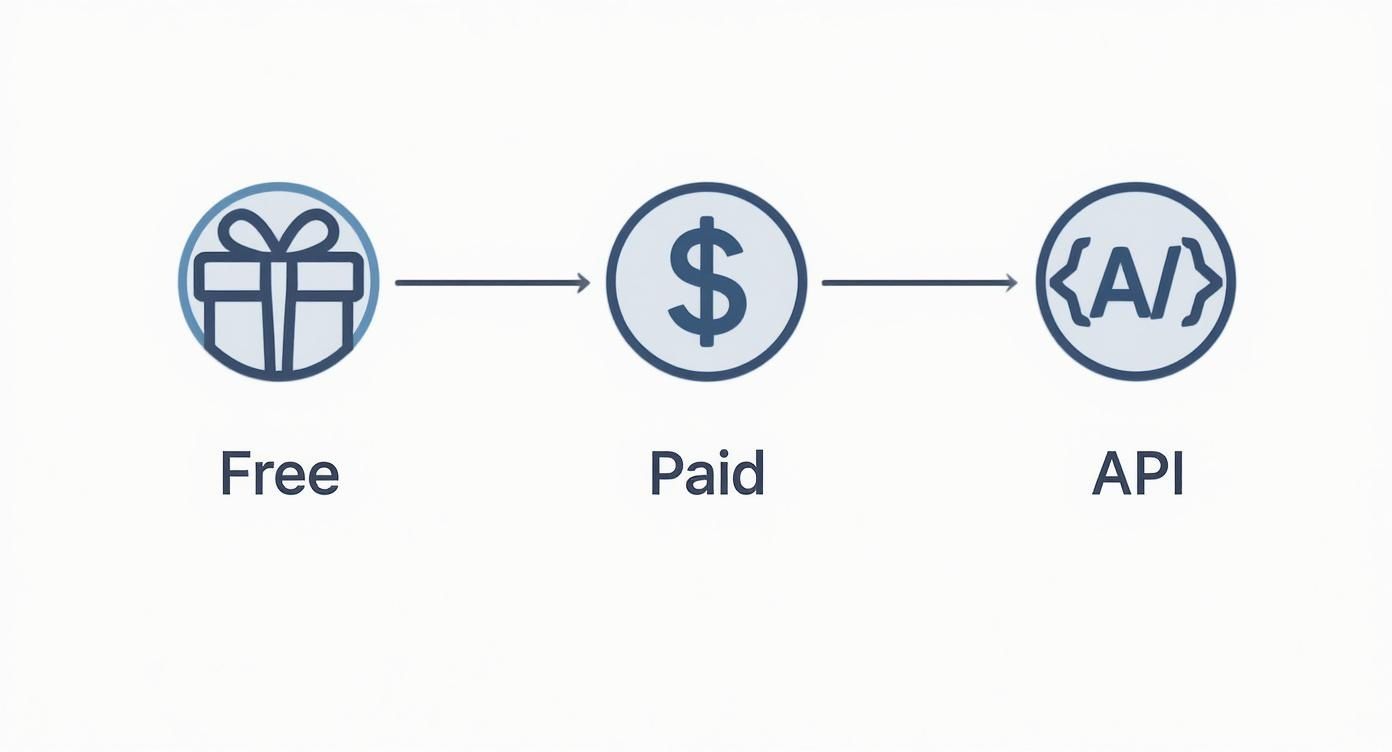
As you can see, your path—from free tools all the way to advanced API solutions—really depends on your budget and technical requirements.
Understanding Update Intervals
How often your countdown image refreshes is a subtle but surprisingly important piece of the puzzle. A tool like the Countdown Timer App gives you control over this interval, letting you choose anything from every few minutes to just once a day.
- Frequent Updates (e.g., 5-30 minutes): This is your go-to for short-term campaigns, like a 24-hour flash sale. The rapid changes create a real, tangible sense of urgency and keep the post feeling active in the newsfeed.
- Less Frequent Updates (e.g., 1-24 hours): Got a longer promotion, like a two-week event countdown? Daily updates are perfect. They act as a steady, consistent reminder without spamming your followers' feeds.
Choosing the right update interval is all about balancing urgency with user experience. Match the frequency to your campaign's timeline to get the biggest bang for your buck without causing follower fatigue.
Knowing when your audience is most active is the final key to unlocking your countdown's potential. To squeeze the most value out of each refresh, you need to understand the best time to post on Facebook. Nailing this timing ensures your countdown appears when engagement is already peaking, making every single tick of the clock count.
Countdown Promotion Strategies on Facebook
Getting your countdown seen isn't a one-size-fits-all game. Different strategies work for different goals. Here’s a quick breakdown to help you decide which approach is best for your campaign.
| Promotion Method | Best For | Pros | Cons | | :--- | :--- | :--- | :--- | | Pin to Page | Critical, time-sensitive announcements (sales, deadlines). | Maximum visibility for all page visitors. Simple and free. | Only effective for traffic coming directly to your page. | | Organic Posts | Building consistent buzz for longer campaigns. | Keeps followers engaged with regular updates. Builds organic reach. | Can get lost in the feed without strong engagement. | | Sharing to Groups | Reaching niche, highly-engaged communities. | Taps into a targeted audience. Can drive high-quality traffic. | Requires group admin approval; can be seen as spammy if not done right. | | Cross-Promotion | Expanding reach beyond your immediate Facebook audience. | Leverages other social channels (Instagram, Twitter) or email lists. | Requires managing multiple platforms. Inconsistent branding can be an issue. |
Each of these methods has its place. For a major product launch, you might use all of them—pinning the main announcement, sharing updates organically, and cross-promoting on Instagram Stories. The key is to think about where your audience spends their time and meet them there.
Take Your Countdown Strategy to Facebook Live and Messenger
Alright, so you’ve got the hang of standard posts. But if you really want to kick things up a notch, it’s time to bring your countdowns into two of Facebook’s most powerful engagement zones: Facebook Live and Messenger.
This is where you move from just making announcements to creating genuine, high-impact interactions. We're talking about building a massive wave of anticipation for a live broadcast or injecting some serious urgency right into a private chat.
Build Hype for Your Facebook Live Events
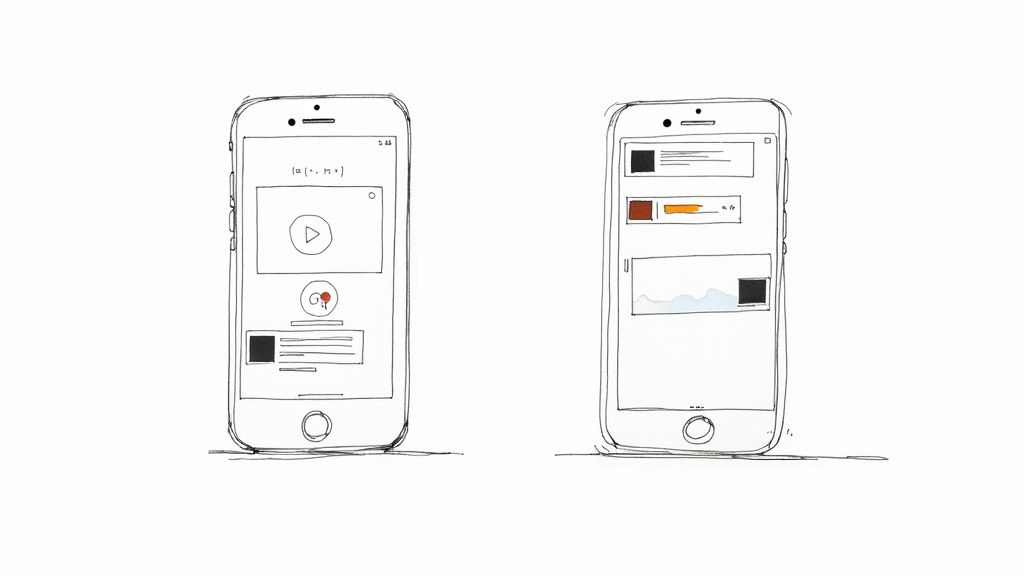
A Facebook Live broadcast lives and dies by its immediate viewership. The more people you have watching the second you start, the better your momentum. A pro-level move I’ve seen work wonders is using a countdown timer as a live video stream leading up to your actual broadcast.
Instead of just posting "Hey, we're going live at 7 PM!", imagine running an actual live countdown video for the hour leading up. It’s a game-changer for a few reasons:
- It creates a gathering place. This gives your audience a specific spot to hang out, comment, and get hyped with each other before you even show your face.
- It triggers notifications. When you start that initial live countdown, your followers who’ve enabled notifications get an alert, pulling them in way ahead of time.
- It builds social proof. As more viewers join and start chatting, the stream gains traction in the algorithm, making it much more visible to everyone else.
Don't underestimate the impact here. Since Facebook Live launched, searches for ‘Facebook Livestream’ have shot up by 330%. More importantly, campaigns that use timers to build anticipation have seen viewer retention jump by up to 40% in those critical first few minutes. For a deeper dive on these stats, you can discover more insights on Facebook statistics from Crop.ink.
Drive Real Urgency in Messenger Marketing
Messenger is your direct line to your most loyal followers, and a countdown timer can make that one-on-one conversation incredibly compelling. Think about a chatbot flow for an abandoned cart or a special offer. A static message is easy to brush off, but one with a ticking clock? Not so much.
You can weave a timer into your Messenger bots for all sorts of scenarios:
- Flash Sales: "Hey [Name], your exclusive 20% off code expires in... 00:59:45. Don't let it get away!"
- Webinar Reminders: "Only 15 minutes until we start! Grab your spot now before we go live."
- Limited-Time Content: "Our brand new guide is free, but only for the next 2 hours. Download it now!"
This creates a super personalized and urgent experience that a regular post just can't match. While you can't embed an auto-updating timer directly in Messenger, the strategy is to link out to a dedicated countdown page from your message. This move is brilliant because it pushes the user from a passive chat into an active decision.
If you're looking for more ideas on how to pull this off, be sure to check out our guide on the Facebook countdown timer.
Going Pro: Advanced Tactics and Common Pitfalls
Once you've got the basics down, it's time to level up. This is where you can really separate a good campaign from a great one by digging into the pro moves and sidestepping the hidden traps that catch so many people off guard when using a timer countdown for Facebook.
A truly effective countdown doesn't just sit on your Facebook Page. You can—and should—amplify its reach by embedding the timer directly onto your website or a specific landing page. This creates a powerful, multi-channel experience where the urgency you build on social media follows the user right to the point of conversion.
Just picture it: someone sees your countdown on Facebook, clicks through to your site, and is met with the exact same timer ticking down. That's a seamless and persuasive user journey.
The One Facebook Ads Rule You Absolutely Cannot Ignore
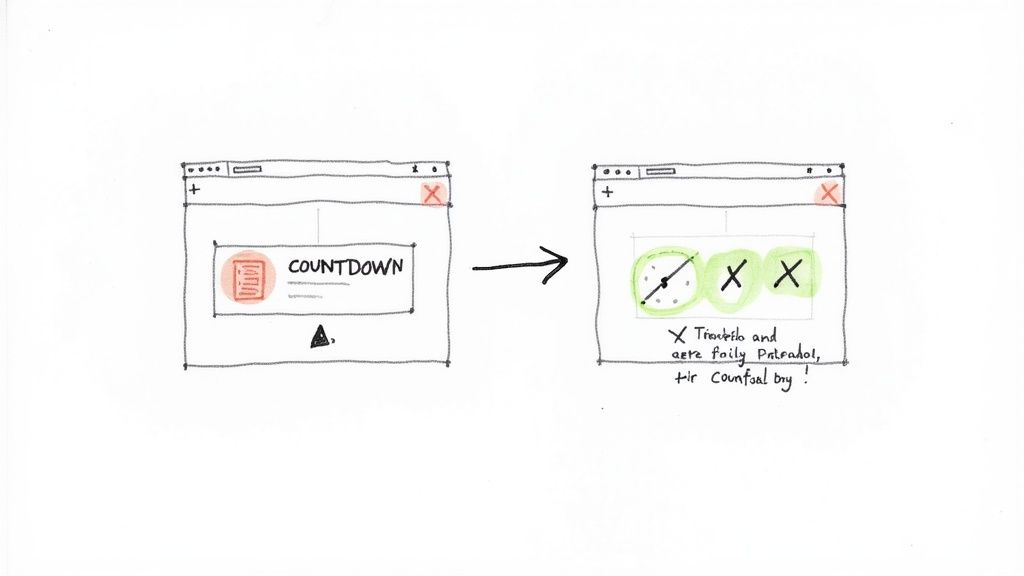
Alright, listen up, because this is the biggest pitfall of them all. Facebook's advertising policy strictly prohibits auto-updating or dynamic images in ads. Let me say that again: you cannot use an auto-refreshing countdown timer directly within a Facebook Ad creative. If you try, your ad will get rejected flat out. It's a non-negotiable rule.
But don't panic. The workaround is surprisingly simple and just as effective:
- Run a standard ad: Create a killer static image or video ad that promotes your offer and mentions the limited time.
- Drive traffic to the countdown: Link your ad's call-to-action button straight to a landing page where you have your live, embedded countdown timer waiting.
This approach keeps you on the right side of Facebook's rules while still hitting your audience with that crucial sense of urgency right when they're deciding whether to buy or sign up.
The goal isn't to put the timer in the ad, but to use the ad to bring people to the timer. This keeps your campaign compliant and conversion-focused.
Taking Your Countdown Beyond the Newsfeed
Your timer's influence shouldn't stop at a single post. For developers or anyone looking for a more bespoke solution, a deep dive into the Facebook API can unlock some seriously advanced features, letting you integrate timers in unique ways across different platforms.
Another powerful tactic that's often overlooked is using timers in Facebook Messenger. They have become a secret weapon for businesses using chatbots. Campaigns that drop a timer into a Messenger conversation see a 22% higher response rate than standard messages.
Even more impressive, recent data shows promotional messages sent via Messenger with countdowns pulled in a 31% higher click-to-purchase rate. When that clock is ticking right in their DMs, people are just more motivated to act fast.
By understanding these advanced strategies and knowing how to dodge common mistakes like the ad restriction, you can build a much more robust and effective countdown campaign that engages users everywhere they are and, most importantly, drives real results.
Got Questions About Facebook Countdowns?
Jumping into the world of Facebook countdowns usually sparks a few questions, especially around the nitty-gritty details and best practices. If you've been wondering about the specifics, you're definitely not alone. I've put together answers to the most common queries to help you get the most out of your campaigns.
Let's clear up some of the usual points of confusion, from finding the right tools to understanding the rules of the game.
Can I Post a Countdown on My Personal Profile?
This is probably the most common question I hear, and the short answer is no—at least not one that updates automatically. The tools that publish a dynamic timer countdown for Facebook, like the ones we've talked about, are built to work with the Facebook API for Business Pages.
But there's a simple workaround. You can easily share the countdown post from your Business Page directly to your personal profile or any groups you manage. It's a fantastic way to amplify your reach and get more eyes on your timer, all while keeping the original, auto-updating post right where it belongs on your professional page.
Are There Any Good Free Options?
Absolutely! Plenty of third-party apps, including the Countdown Timer App, have really solid free plans that are perfect for getting your feet wet. You're not getting a watered-down version, either. These plans typically give you all the core features you need to run a successful campaign:
- Customizable templates to get the look just right for your brand.
- The ability to set a specific end date and time.
- A simple way to publish directly to your Facebook Page.
So, what's the catch? Usually, paid plans offer more advanced features like shorter update intervals (think every 5 minutes instead of every hour) and the option to remove the app's branding. But honestly, for most small businesses or one-off events, a free tool is more than enough to create some serious buzz.
It's a common myth that "free" equals low quality. The reality is, the best free countdown tools offer professional-grade design options, making it easy to create a polished and effective campaign without touching your budget.
What Happens When the Timer Hits Zero?
A great countdown doesn't just end; it transforms. The best tools let you decide exactly what happens when the clock runs out. Instead of the timer just vanishing into thin air, the image can automatically switch to display a final, conclusive message.
For instance, your timer could update to show:
- "Our Sale Has Ended!" to provide clear closure for a promotion.
- "The Webinar Is Live Now!" to push for immediate action.
- "The Doors Are Now Open!" to kick off a big product launch.
This final screen is so important for managing your audience's expectations and telling them what to do next. It ensures your campaign has a smooth, logical finish.
Why Can’t I Use a Live Timer in a Facebook Ad?
Ah, the big one. Facebook's ad policies are notoriously strict about what they allow in ad creatives. They flat-out prohibit images that are dynamic or update automatically, and that includes live countdown timers. This rule is in place to ensure every user sees the exact same static ad, maintaining consistency across the platform.
If you try to run an ad with an auto-updating image, it's going to get rejected, plain and simple. The proven strategy here is to use a compelling static ad to drive traffic to a landing page where your live, ticking timer is embedded and ready to convert.
Ready to create a countdown that grabs your audience's attention? The Countdown Timer App makes it incredibly simple to design and publish professional, auto-updating timers right to your Facebook Page.


