
How to Sell Event Tickets Online
Learn how to sell event tickets online with our guide on platforms, pricing, and marketing. Get actionable strategies to sell out your next event.
Selling event tickets online isn't as simple as slapping a "buy now" button on your website and hoping for the best. To really succeed, you need a solid game plan that starts long before a single ticket is sold. It's all about digging into what makes your event special, seeing what the competition is up to, and setting some clear goals. Nailing these fundamentals makes everything that follows so much easier.
Your Blueprint for Successful Online Ticket Sales
I've seen it happen too many times: an organizer gets excited, picks a ticketing platform, and dives right in without a strategy. That's a surefire way to miss opportunities and burn through your marketing budget. A successful ticket sales campaign is built on a strong foundation of planning and research. This isn't just about logistics; it’s about getting to the heart of why someone should come to your event. That "why" will shape every single decision you make, from your ticket prices to your promotional emails.
The online ticketing world is booming. The global market was valued at $50.97 billion and is expected to hit $69.25 billion as more and more people buy tickets on their phones. This shift offers a massive opportunity for organizers who plan smart from the get-go.
Define Your Event and Ideal Attendee
Before you can think about selling, you have to be crystal clear on what you're offering and who you're offering it to. Is this a high-energy music festival for college students? A buttoned-up professional workshop for C-suite execs? A chill, family-friendly community fair?
- What’s your unique hook? What makes your event an absolute can't-miss experience? Is it the exclusive speaker lineup, a killer theme, or something totally unique? Figure this out and make it the star of your marketing.
- Who are you talking to? Go deeper than just age and location. What do your ideal attendees care about? What problems are they trying to solve? Understanding their mindset helps you craft a message that truly connects.
Many of the core principles here are similar to the groundwork needed for setting up your online store and building a customer base from scratch.
Scout the Competition and Set Prices
You're not operating in a vacuum. Take a good look at what similar events are doing. What are they charging? What do different ticket tiers get you? How are they talking about their event? The goal isn't to copy them, but to understand what the market expects. This intel will help you price your tickets in a way that reflects their value without scaring people off.
A classic mistake is underpricing your event because you're nervous. Trust me, confident pricing backed by clear value attracts a more committed and engaged audience. If you're offering a premium experience, don't be afraid to charge a premium price.
Set Achievable Goals and Create a Budget
Your sales strategy needs concrete, measurable goals. How many tickets do you need to sell just to break even? What's your ultimate profit target? Setting these key performance indicators (KPIs) from day one lets you track your progress and pivot your strategy if something isn't working.
This simple workflow is the foundation of a solid event sales plan.
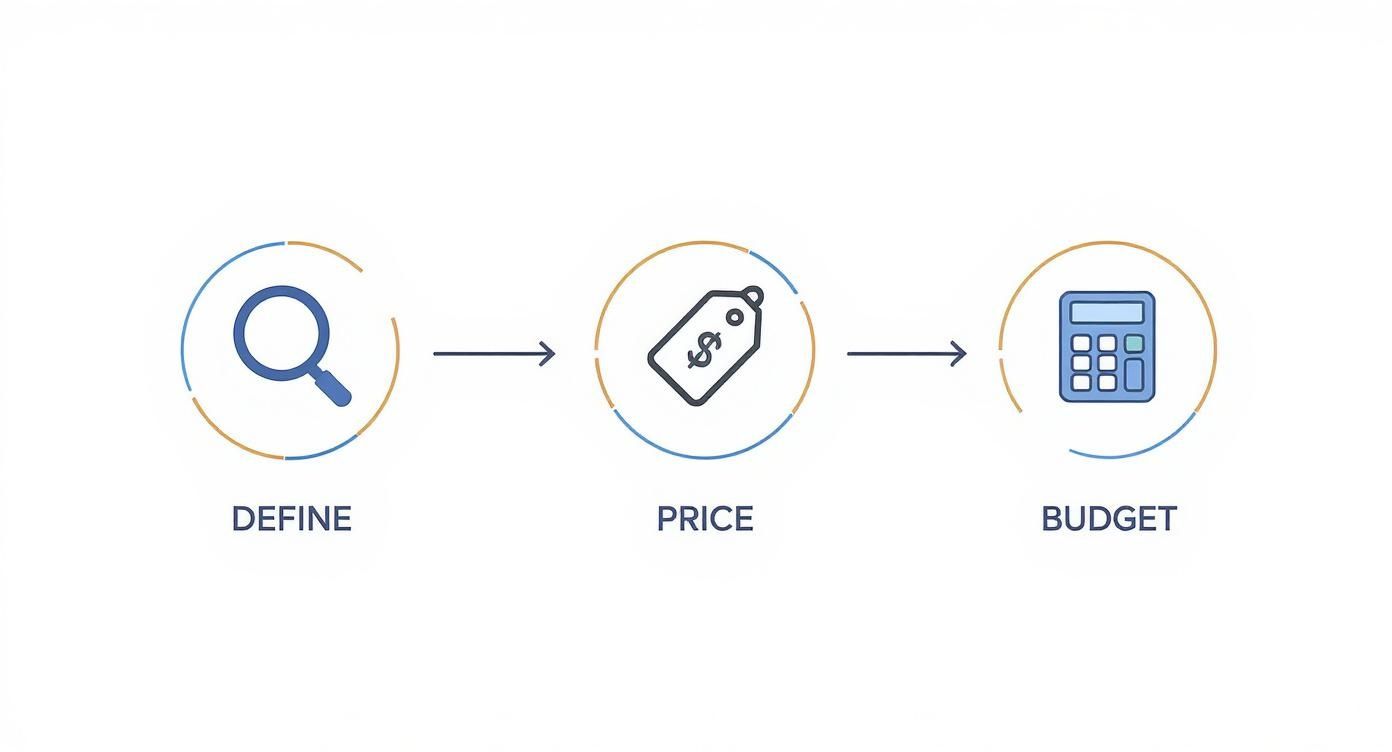
This Define, Price, Budget process ensures every decision you make is intentional and backed by data.
Finally, let's talk budget. It has to cover everything, not just the obvious stuff. Be sure to factor in:
- Platform Fees: Ticketing services will take their cut, either as a flat fee, a percentage, or both.
- Marketing Spend: This includes everything from your social media ads and email marketing software to paying influencers.
- Contingency Fund: Always, always set aside some cash for the unexpected. Something will always come up.
Once you have this strategic blueprint locked in, you'll be in a much stronger position to tackle the next steps, like picking the right platform and building out your event page.
Choosing the Right Online Ticketing Platform
Think of your ticketing platform as the engine for your event sales. It’s far more than just a payment processor; it’s the very first real interaction your attendees will have with your event. Getting this choice right is crucial for a smooth customer experience and, frankly, for keeping your own sanity when you sell event tickets online.
The market is flooded with options, from huge, do-it-all services like Eventbrite to self-hosted plugins you can pop right into your own website. The best fit really boils down to your event's size, your budget, and how comfortable you are with the tech side of things.
All-In-One Platforms vs Self-Hosted Solutions
All-in-one platforms are wildly popular, and for good reason—they handle everything. You get the event page, the payment processing, and often a built-in audience of people already browsing their site for things to do. This makes them a fantastic choice for anyone who wants a reliable setup without any technical headaches. A local charity 5K, for instance, could be live and selling tickets in less than an hour.
On the flip side, self-hosted solutions, like a plugin for your WordPress site, give you total and complete control. You own all the customer data, you dictate every pixel of the branding, and you often end up paying lower fees. This route is perfect for established brands or big festivals that have the web development muscle to manage the system and crave a fully customized checkout experience.
The decision really comes down to convenience versus control. All-in-one platforms give you speed and simplicity, while self-hosted options offer deep customization and direct ownership of your data.
Decoding the Fee Structures
Nothing will eat into your revenue faster than ticketing fees you didn't account for. Understanding how these platforms make their money is absolutely essential for building an accurate budget.
You’ll generally run into two models:
- Per-Ticket Fees: This is the most common setup. The platform skims a small flat fee plus a percentage of each ticket price (e.g., $0.99 + 2.5%). A lot of platforms let you pass these fees directly to the buyer, which is an extremely popular option for event organizers.
- Monthly Subscriptions: Some services charge a flat monthly or annual fee. This allows you to sell as many tickets as you want without paying a per-ticket fee to them (though standard credit card processing fees will still apply). This model can be a huge money-saver for organizers running frequent events or selling a high volume of tickets.
Always pull out a calculator and run the numbers. A platform with a 2.5% fee might look better than one with a 3.5% fee, but if the first one also tacks on a high flat fee per ticket, it could end up costing you more on lower-priced events.
Must-Have Features to Evaluate
Beyond the cost, a platform’s features will make or break how well you can manage and market your event. You need to find a solution that actually lines up with what you’re trying to do.
Here are the core features I always tell people to look for:
- Customizable Event Pages: Your event page has to look like your event. A good platform lets you upload your own logos, banners, and videos and tweak the color scheme to match your brand.
- Marketing & Analytics Tools: How easily can you connect Google Analytics, your Facebook Pixel, or your email marketing tool? Having access to real-time sales data isn't a "nice-to-have"—it's non-negotiable for figuring out what's working and what's not.
- Flexible Ticketing Options: You absolutely need the ability to create different ticket tiers, like Early Bird, VIP, and General Admission. Support for discount codes, group ticket bundles, and optional donation add-ons is also critical for maximizing revenue.
- Seamless Attendee Experience: The checkout flow has to be dead simple, totally secure, and work flawlessly on a phone. A clunky or confusing checkout is the #1 killer of ticket sales.
Think about it this way: a multi-day conference organizer needs robust registration forms to capture attendee details and session choices. A small workshop leader, on the other hand, just needs a clean, simple page to sell one type of ticket. The right platform is the one whose capabilities match your event's complexity.
Hammering Out Your Ticket Tiers and Pricing Strategy
Pricing your event isn't just a numbers game on a spreadsheet. It's where psychology and strategy collide, and it’s what ultimately convinces an attendee to click that "buy" button. When you sell event tickets online, getting the pricing structure right can be the difference between a sold-out show and a half-empty room.
The secret? Ditch the one-size-fits-all ticket price. By creating a few distinct ticket tiers, you can appeal to everyone from the budget-conscious fan to the die-hard enthusiast who wants the red-carpet treatment. This simple move opens the door to a much wider audience and maximizes what you can earn from your event.
Structuring Your Ticket Tiers for Maximum Appeal
There’s a reason the classic tiered model is so popular: it just works. It gives potential buyers a clear path, making it easy for them to find an option that fits what they want and what they're willing to spend.
Let’s break down the tiers that consistently deliver the best results:
- Early Bird Tickets: This is your secret weapon for building momentum. Offering a limited number of tickets at a discount creates instant urgency and rewards your most passionate fans. A solid early bird campaign brings in crucial cash flow right away and provides the social proof that your event is in high demand.
- General Admission (GA): This is your bread and butter. The GA ticket is your standard offering and will likely make up the bulk of your sales. Its price should be a fair reflection of the core experience you're providing.
- VIP Packages: Here’s where you can really get creative and boost your revenue per attendee. A VIP ticket is more than just a better seat—it's an exclusive, upgraded experience.
For a music festival, a VIP package might mean front-row access, a private bar, and some exclusive merch. For a business conference, it could be a networking lunch with keynote speakers, priority seating, and access to all the presentation slides. The goal is to stack on so much value that the higher price feels like a steal.
The Power of Dynamic Pricing and Smart Discounts
Your pricing shouldn't be set in stone. Adjusting it in real-time based on demand is a powerful tactic for driving sales. Dynamic pricing is all about changing ticket prices as the event gets closer or as certain tiers start selling out. For instance, you could have three phases of General Admission tickets, where each new phase costs a little bit more.
This naturally nudges people to buy sooner rather than later to lock in the best price.
Don't underestimate the psychological pull of a well-timed discount. A strategically deployed promo code can bring back people who checked out your event page but didn't buy. It gives them that final, compelling reason to finish the purchase.
Here are a few ways to use discounts that actually work:
- Group Bundles: Offer a small discount for buying multiple tickets at once (think "Buy 4, Get 1 Free"). This is perfect for events where people are likely to come with friends or coworkers.
- Partner Codes: Give special discount codes to your sponsors, speakers, or performers to share with their own followers. It’s a win-win that massively expands your marketing reach without any extra cost.
- Flash Sales: Run a short, high-urgency promotion on a specific ticket type. This can create a massive sales spike, especially if you hit a mid-campaign lull. For a deeper dive into creating the visuals for these promos, you can find some great ideas in this helpful guide on creating an event ticket template.
Transparency Is Non-Negotiable
Want to lose a sale in seconds? Hit your buyer with unexpected fees right at the final checkout screen. Study after study on cart abandonment shows that hidden costs are one of the biggest deal-breakers.
Be completely upfront about any taxes and platform service fees. Most ticketing platforms let you either absorb these fees into your ticket price or pass them on to the buyer. If you choose to pass them on, make it crystal clear from the start. Showing the "all-in" price early on builds trust and leads to way better conversion rates. Transparent pricing respects your attendees and ensures there are no nasty surprises, setting a positive tone for their entire experience.
Designing a High-Converting Event Page
Think of your event page as your digital box office. It's the most critical piece of real estate in your entire sales process, and its one and only job is to turn a curious visitor into a confirmed ticket holder. When you sell tickets online, a poorly designed page bleeds potential revenue. A great one can sell you out.
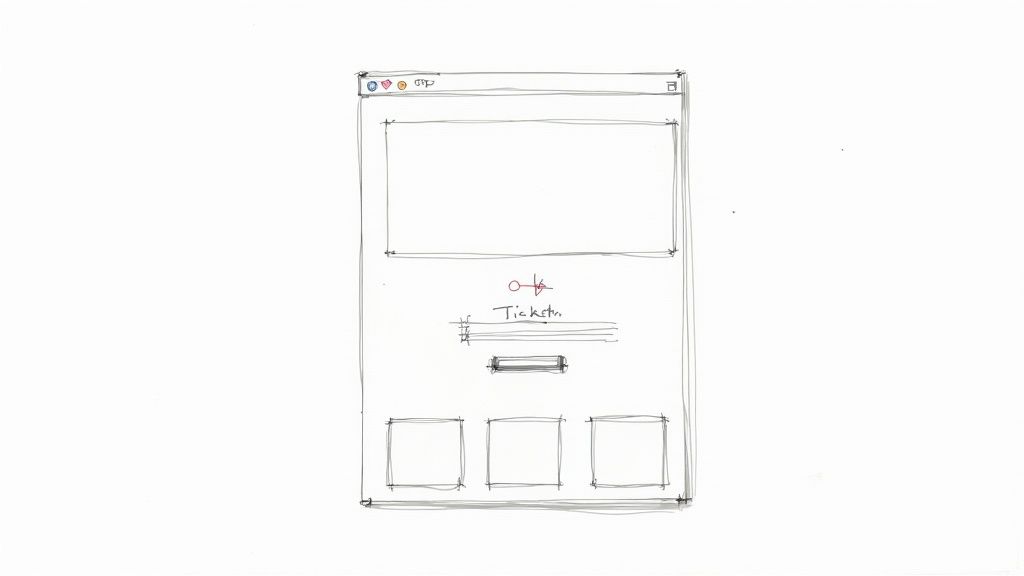
This isn't about flashy animations or complicated designs. It’s all about clarity, persuasion, and making the path to purchase as frictionless as possible. Every single element, from the headline down to the color of the "Buy Now" button, has to work in harmony to build excitement and trust.
Crafting Compelling Copy and Visuals
Your event page needs to sell the experience, not just the logistics. Your headline has to be powerful and benefit-driven, immediately answering the visitor’s silent question: "What's in it for me?"
Instead of something generic like "Annual Tech Conference 2024," go for something that sparks interest: "Unlock the Future of AI: The Tech Summit That Will Transform Your Business." See the difference? It frames the event around value and outcome.
The description should pick up where the headline leaves off. Use short, punchy paragraphs to highlight key takeaways, unique experiences, and what truly makes your event a can't-miss affair.
High-quality visuals are absolutely non-negotiable. They're your fastest tool for conveying the energy and vibe of your event.
- Photos: Use professional shots from past events showing attendees who are engaged and genuinely happy. Ditch the generic stock photos—they kill authenticity.
- Videos: A short, dynamic sizzle reel from a previous year or a quick, personal invitation from a keynote speaker can be incredibly persuasive.
- Branding: Keep your logos, colors, and fonts consistent with your overall event brand. This builds recognition and a sense of professionalism.
Presenting Essential Information Clearly
Once you've grabbed their attention, people need the practical details. Confusing or hard-to-find information is a major conversion killer. Your goal here is to make everything scannable and dead simple to digest.
Organize the key details into distinct, clearly labeled sections. Lean on bullet points, bold text, and icons to break up the text and guide the reader's eye right where it needs to go.
Must-Have Information Includes:
- Date and Time: List the dates, start and end times, and be sure to specify the time zone.
- Location: Provide the full venue address with a clickable map link. If it's a virtual event, explain exactly how and when attendees will get their access links.
- Schedule or Agenda: Even a high-level agenda with key sessions and speaker names helps people understand the event's flow and see the value.
- Speaker Bios: Feature your speakers with professional headshots and brief, compelling bios that cement their authority on the subject.
This clarity builds confidence and removes the friction that makes potential buyers hesitate and click away.
A visitor should be able to grasp the what, when, where, and why of your event within 15 seconds of landing on the page. If they have to hunt for basic information, you’ve already lost them.
Optimizing the Checkout Flow for Mobile
A clunky checkout process is the final hurdle where so many sales are lost. The journey from selecting a ticket to payment confirmation has to be seamless, especially on mobile. Mobile has completely reshaped online ticket sales, with research showing that nearly 61% of all event-related emails are now opened on smartphones. If you don't have a smooth mobile experience, you're flat-out ignoring the majority of your audience. You can see the full findings on how mobile is shaping the ticketing industry for more on that.
To really boost conversions, simplify your registration form—ask only for what's essential. Offer multiple secure payment options, like credit cards and digital wallets (Apple Pay, Google Pay). Adding a little urgency helps, too; you can learn more about how to use an event countdown app to motivate people to act now.
By making that final step as easy and secure as possible, you ensure more of those visitors actually cross the finish line and become attendees.
To help you nail this, I've put together a quick checklist. Run your page against these points to spot any conversion gaps before you go live.
Your Event Page Conversion Checklist
| Element | Best Practice | Impact on Conversion | | -------------------------- | ---------------------------------------------------------------------------------------------------------------- | --------------------------------------------------------------------------------- | | Headline | Benefit-driven and attention-grabbing. Answers "What's in it for me?" | High – First impression that determines if visitors stay or bounce. | | Visuals | High-quality, authentic photos/videos of past events showing happy attendees. | High – Conveys the event's atmosphere and energy more effectively than text alone. | | Event Details | Clearly displayed (Date, Time, Location/Link, Timezone). Use bullet points and icons for scannability. | High – Eliminates confusion and friction, building trust. | | Call-to-Action (CTA) | Prominent, clear, and compelling (e.g., "Get Your Ticket," "Register Now"). Contrasting color. | High – The primary driver for moving users from browsing to buying. | | Social Proof | Testimonials, logos of past sponsors/attendees, or snippets from media coverage. | Medium – Builds credibility and reduces hesitation for new attendees. | | Mobile Responsiveness | The page looks and functions perfectly on all devices, especially smartphones. Easy-to-tap buttons and forms. | High – Caters to the majority of users who browse and buy on mobile. | | Checkout Process | Minimal form fields, multiple payment options (credit card, PayPal, Apple Pay), clear pricing. | High – A complicated checkout is the #1 reason for cart abandonment. | | Urgency/Scarcity | "Early Bird Ends Friday" messages, ticket quantity warnings, or a visible countdown timer. | Medium – Motivates immediate action and discourages procrastination. |
Making sure these elements are in place isn't just about good design; it's about good business. A well-optimized event page works for you 24/7, turning interest into income.
Marketing Your Event to Drive Ticket Sales
Alright, your event page is live and the tickets are ready to go. Now for the fun part: getting people to actually buy them. An incredible event with an empty room isn't much of an event at all, which is why a smart, multi-channel marketing plan is non-negotiable. You have to meet your audience where they hang out online and give them a reason to click that "buy" button.
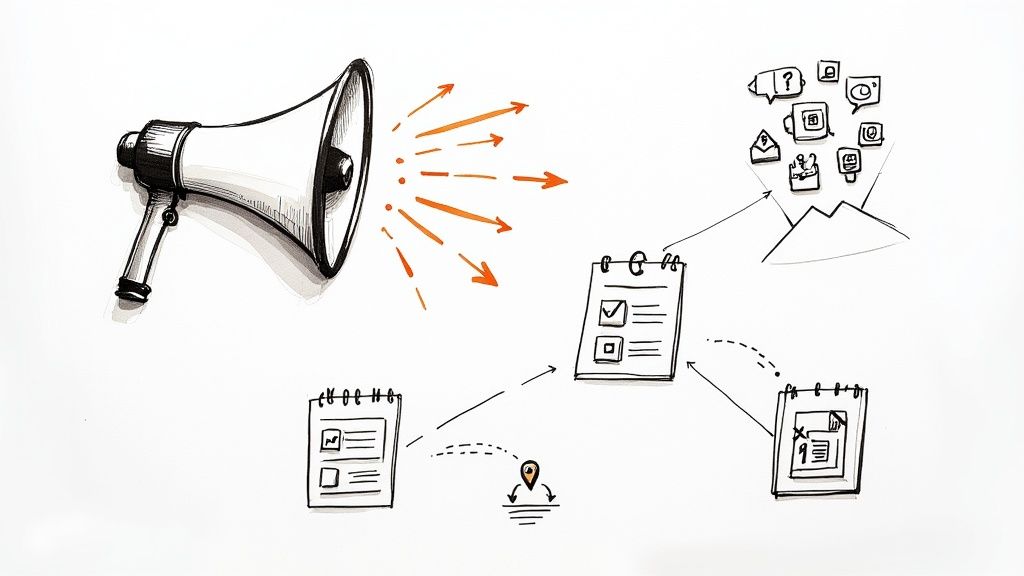
This isn't about just shouting into the digital void. It's about building a steady drumbeat of excitement that starts the day tickets launch and builds all the way until the doors open. Think of your promotional timeline as the roadmap to a sold-out event.
Find Your Audience on Social Media
Don't just spray and pray across every platform. Figure out the one or two social networks where your ideal attendees spend their time and focus your efforts there. A professional business conference will probably find its tribe on LinkedIn, while a vibrant arts festival is going to kill it on a visual-first platform like Instagram.
Your content needs to be more than just a constant stream of "buy tickets now!" posts. Mix it up to keep people engaged and genuinely excited:
- Show them behind the scenes: Post sneak peeks of the venue being set up, speakers doing a rehearsal, or performers during a sound check.
- Spotlight your talent: Create dedicated posts highlighting the speakers, artists, or experts you're featuring. Give them a reason to care about who will be there.
- Get interactive: Run polls asking followers what they're most excited to see. Host a live Q&A session with a keynote speaker.
- Lean on your community: Encourage past attendees to share their favorite photos or memories using a unique event hashtag. Nothing sells an event like social proof.
When you do this, your social media feed transforms from a simple billboard into a community hub where real connections happen.
Put Your Email List to Work
Your email list is pure gold. These are people who have already raised their hand and said they're interested in what you do, making them the warmest leads you have for ticket sales. To really make this channel sing, you need solid email marketing strategies.
A well-planned email sequence can walk subscribers all the way from "Oh, this looks cool" to "I need a ticket." Kick things off with a big announcement when tickets go live. Follow that up with valuable content like speaker introductions, agenda highlights, and friendly reminders about early-bird pricing ending. And make sure your emails look good on a phone—a whopping 61% of event-related emails are opened on mobile devices.
Don't be afraid to segment your email list. Sending a targeted message to people who attended last year's event or who clicked on a specific link in a previous email can seriously boost your conversion rates. Personalization shows you're paying attention.
Use Urgency and Scarcity (Without Being Sleazy)
Urgency is a powerful motivator that gets people to act now instead of "later." When you use it transparently, it can give your sales a serious kick.
Here are a few proven ways to create authentic urgency:
- Set Clear Deadlines for Tiered Pricing: Be loud and clear about when Early Bird or other discounted prices end. A simple "Prices go up on Friday!" is one of the most effective calls to action out there.
- Send Low Ticket Warnings: When a specific ticket type, like a VIP pass, is almost gone, let people know. "Only 10 VIP spots left!" creates real scarcity and often triggers a final rush of sales from people on the fence.
- Use Countdown Timers: Visual cues are incredibly effective. Adding a countdown timer to your website and social media posts makes the deadline feel real and impossible to ignore. This one simple tool can be a game-changer for increasing event attendance by keeping that deadline top-of-mind.
Know When to Pay for Ads
Organic reach is great, but sometimes you need to pay to play. Paid ads on social media and search engines let you reach hyper-specific groups of people who are likely interested in your event but don't follow you yet.
Think about using paid ads when:
- You need to reach a new audience in a specific city or region.
- You want to retarget people who visited your event page but didn't finish checking out.
- Your sales have hit a plateau mid-campaign and you need a boost.
Start with a small budget, test out different images and ad copy, and keep a close eye on what's working. By combining these organic and paid tactics, you create a powerful marketing engine that keeps those ticket sales rolling in.
Got Questions About Selling Tickets? We've Got Answers
Once you've launched your event page and started promoting it, the questions will inevitably start rolling in. People will want to know everything from your refund policy to how you're handling their data.
Being prepared with clear, confident answers is a game-changer. It not only saves you a ton of time but also shows attendees you’re a professional who has everything under control. Let’s walk through the most common questions you'll face.
What's Your Refund and Transfer Policy?
This is the big one. Life is unpredictable, and people want to know their options if their plans change. A super-strict "no refunds, ever" policy can feel a bit aggressive and might scare off potential buyers. On the other hand, a flexible policy can be a real selling point.
The key is to decide on your policy before you sell a single ticket and make it easy to find on your event page.
- Refunds: Think about a cutoff date. For example, you could offer full refunds up to 14 days before the event, a 50% refund up to 7 days out, and then no refunds within that final week. This approach is fair to your attendees but also protects your bottom line.
- Transfers: This is a fantastic, no-cost way to be accommodating. Letting attendees transfer their ticket to someone else is a win-win. Most modern ticketing platforms make this a breeze, allowing the original buyer to update the name and email on their own.
- Event Cancellation: Don't forget to cover what happens if you have to cancel or postpone. The industry standard is pretty clear here: offer a full refund or the choice to transfer the ticket to the new date.
Your ticket policy is a direct reflection of your event's customer service. A clear, fair, and easily accessible policy removes a significant barrier to purchase and shows you respect your attendees.
How Are You Keeping My Data Secure?
People are more concerned about their personal information than ever, and for good reason. When you sell tickets, you're handling sensitive data like names, emails, and credit card numbers. Protecting it isn't just good business—it's a legal and ethical must.
Honestly, the easiest way to nail this is by using a reputable ticketing platform. Companies like Eventbrite or Ticketmaster invest a fortune in security. They are compliant with the Payment Card Industry Data Security Standard (PCI DSS), which means they manage the secure processing of payments. That takes a massive weight—and liability—off your shoulders.
Beyond that, be upfront about how you handle their personal data. A simple privacy policy on your site should explain:
- What info you're collecting (e.g., name, email).
- Why you need it (e.g., to send tickets and event updates).
- A clear promise that you won’t sell their data to anyone else.
A little transparency goes a long way in building trust.
What Happens After I Buy My Ticket?
The checkout isn't the end of the conversation—it's the beginning of the event experience. Smart, timely communication after the purchase keeps the excitement building and makes sure everyone has the info they need to show up without a hitch.
Your post-purchase plan should have a few key touchpoints:
- The Instant Confirmation Email: This needs to land in their inbox immediately. It should have the tickets (usually a PDF or QR code), a receipt, and a quick summary of the event details: date, time, and location.
- Pre-Event Reminders: A week before the event, send out an email with helpful info. Think parking details, the final schedule, what to bring (or not bring), and any other last-minute news.
- The "Day Of" Hype Email: A quick message on the morning of the event with a friendly "Can't wait to see you today!" and a final reminder of the start time is a great touch. It calms nerves and gets people excited.
This kind of communication dramatically cuts down on last-minute questions, freeing you up to focus on running an incredible event.
Looking to create a sense of urgency and drive more sales? A visual countdown timer is a powerful tool. Countdown Timer App lets you create and publish auto-updating countdowns for your ticket sales directly on your website or Facebook page. It keeps the deadline right in front of your audience. Check it out at https://www.countdown-timer.app.


