
Create Customized Countdown Clocks That Convert
Learn how to build customized countdown clocks that drive urgency and boost sales. Discover practical design tips, tools, and deployment strategies.
Let's be honest, a generic, out-of-place timer slapped on your website or social media feed just feels... cheap. A customized countdown clock, on the other hand, is a whole different beast. It's a visual timer, yes, but one that’s designed from the ground up to feel like an integral part of your brand. Think custom colors, your specific fonts, and a style that screams you.
This isn't just about looking good. It’s a seriously powerful marketing tool designed to create urgency and build genuine anticipation for whatever you've got coming up.
Why Customized Countdown Clocks Actually Work
Ever found yourself scrambling to grab a deal just because the sale was ending in a few hours? That's the exact feeling a well-executed countdown clock taps into. It’s less about just telling time and more about tapping into some pretty powerful psychological triggers that get people to act now.
The main driver here is the classic fear of missing out (FOMO). It’s a real thing. When your potential customers see that clock ticking down, it makes the offer feel scarce and way more valuable. A simple text banner saying "Sale ends Friday" is easy to scroll past and forget. A living, ticking clock? That’s a constant, persuasive reminder that the window of opportunity is closing.
Building Trust Through Brand Consistency
Here’s the thing: a clunky, off-the-shelf timer can look a bit spammy. It can even cheapen your brand's image if it doesn't fit your aesthetic. But a customized countdown clock becomes a seamless part of your marketing, reinforcing the professional look you've worked so hard to build.
By matching your brand's colors, fonts, and overall vibe, the timer feels intentional and trustworthy. This nails a few key goals all at once:
- It reinforces your brand identity. Every single element, right down to the timer, works in harmony.
- It builds customer trust. A polished, well-designed clock signals that your offer is legit and professional.
- It improves the user experience. The clock blends right into your website or social post without jarring your visitor.
For anyone serious about increasing sales, diving into proven e-commerce conversion rate strategies shows just how vital this sense of urgency is. A customized clock is one of the simplest ways to create it.
A great countdown clock does more than just show time; it frames the value of an offer. It’s the nudge that shifts a customer's mindset from "I'll think about it later" to "I need to do this now." That single shift is everything when it comes to time-sensitive campaigns.
A Super-Versatile Tool for Any Campaign
And don't think these are just for Black Friday sales. The applications are incredibly broad. Event organizers use them to build hype for massive events—think of the custom clocks that pop up in host cities for the FIFA World Cup. Product launches, webinar registrations, grand openings... you name it. A countdown focuses everyone's attention and pushes them toward a single, clear action.
The market for smart clocks, which often have these features built-in, is also exploding. It was valued at a cool USD 827.89 million in 2024 and is projected to hit USD 5.39 billion by 2033. That's a lot of ticking clocks!
To give you some ideas, I've put together a quick table outlining where these timers really shine.
Countdown Clock Use Cases for Maximum Impact
This table breaks down some of the most effective scenarios for a countdown clock and what you're trying to achieve with each one.
| Campaign Type | Primary Goal | Ideal Placement | | ---------------------- | ---------------------------------------- | ---------------------------------------------------- | | Flash Sales | Drive immediate sales & conversions | Website banner, product pages, email, social media | | Product Launches | Build anticipation & generate early buzz | Landing page, "coming soon" page, social media posts | | Webinar/Event Reg. | Increase sign-ups before spots fill up | Registration page, promotional emails, social ads | | Holiday Promotions | Create seasonal urgency (e.g., BFCM) | Homepage hero section, dedicated holiday landing pages | | Limited-Time Offers| Encourage quick action on special deals | Exit-intent pop-ups, social media stories, emails |
As you can see, whether you're selling a product, filling seats for an event, or just building excitement, a countdown clock is one of the most direct ways to get people to pay attention and take action.
Designing a Countdown Clock That Reflects Your Brand
 Once you've decided to use the power of urgency, it's time for the fun part: bringing your timer to life. But a generic, out-of-the-box clock can really clash with your site's design, and worse, it can feel a little untrustworthy to visitors.
The best timers feel like a natural part of your brand. A truly customized countdown clock should blend in seamlessly with your existing look and feel, becoming an extension of your brand's identity, not a clunky add-on.
This is about more than just looking pretty—it's about creating a cohesive experience. When every single element on your page aligns, including the timer, you build subconscious trust and reinforce your professionalism. The goal is to make the clock feel intentional and perfectly placed.
Aligning Colors and Fonts with Your Brand Palette
The fastest way to make a countdown timer your own is through color. This isn't the time to pick random, jarring colors that scream for attention. Instead, pull directly from the brand palette you already use everywhere else.
Your primary brand color might be perfect for the timer's background, while a secondary or accent color could make the numbers or labels pop. And when it comes to personalization, the details really matter. Thinking through things like saving custom brand colors helps you maintain that consistency across all your marketing, this new timer included.
Fonts are just as critical. Most timer tools give you a library of fonts to choose from or even let you specify your own.
- Match Your Website's Font: For maximum consistency, try using the same font family you use for your site's headlines or body text.
- Prioritize Legibility: If your main brand font is a bit fancy or script-like, it might be hard to read as a number. In that case, switch to a clean, readable secondary font for the timer itself.
- Consider Font Weight: A bold font weight is your friend here. It makes the numbers stand out and ensures they're easy to read at a quick glance.
The best-designed countdown clocks don't just tell time; they speak your brand's visual language. Consistency in colors and fonts makes the timer feel less like a tool and more like part of the core message.
Selecting a Style That Fits Your Vibe
Beyond the basics of colors and fonts, the actual style of the clock plays a massive role in how it comes across. You need a format that complements your brand's personality and fits the tone of your campaign.
Think about the feeling you're trying to create. Is your brand modern and sleek? Or is it more playful and retro?
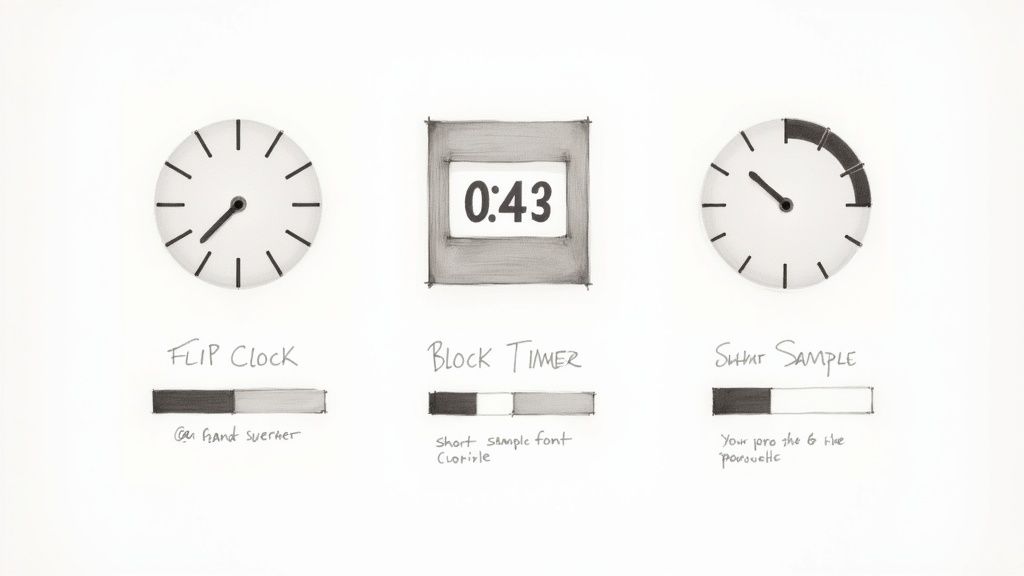
- Digital Style: This is the classic, no-fuss option. It’s clean, universally understood, and works perfectly for tech companies, minimalist brands, and professional services.
- Flip Style: A flip-style clock gives off a cool, mechanical vibe. It's fantastic for creating a sense of old-school drama and nostalgia—a great fit for vintage-inspired brands or major event announcements.
- Circular or Analog Style: This is a more graphical and often elegant choice. It’s a smart pick for luxury brands, creative agencies, or anyone who wants a timer that feels more artistic and less "in-your-face."
On platforms like Facebook, visual appeal is everything. Making sure your design is eye-catching can make a huge difference in how many people engage with your post. For more inspiration, check out our guide on creating visually stunning countdowns that really grab attention.
Ensuring Mobile Responsiveness and Readability
Finally, all your design work won't mean a thing if the clock is broken or unreadable on a phone. With over 60% of website traffic now coming from mobile devices, a responsive design is absolutely non-negotiable.
Before you hit publish, always preview your timer on a smartphone-sized screen. Is it legible? Make sure the numbers are big enough to read easily and that the layout doesn't get all cramped and weird. High contrast is key—avoid light gray text on a white background, for instance.
A timer that looks flawless on every screen ensures your message of urgency reaches everyone, no matter how they’re browsing.
Finding the Right Countdown Clock for the Job
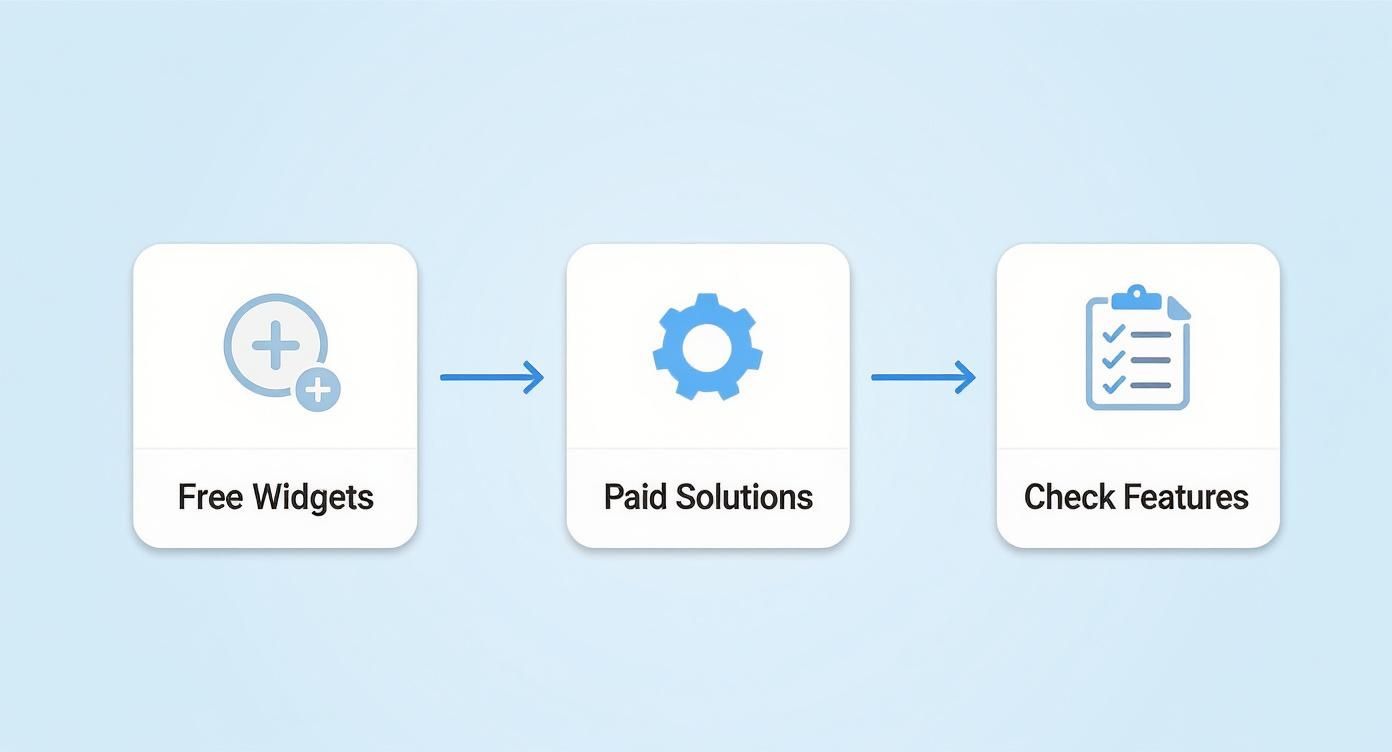
Picking the perfect tool to build your customized countdown clocks can feel like a chore, but it doesn't have to be. Honestly, it all boils down to what you're trying to achieve. The market is packed with options, from dead-simple free widgets to seriously powerful paid platforms, and there’s a right fit for every kind of campaign.
First things first, what's your goal? If you're just running a quick, one-off flash sale, a free and easy tool is probably all you need. But if you’re orchestrating a massive product launch or building an evergreen marketing funnel, putting some money into a more robust and reliable platform is a smart investment.
Free Widgets vs. Paid Solutions
Free countdown clock generators are a fantastic way to dip your toes in the water without opening your wallet. They usually let you handle the basics—tweaking colors and maybe a font or two—and give you a simple embed code to paste onto your site. They're perfect for small projects, personal blogs, or just testing how your audience responds to a little urgency.
But if you want real power and customization, paid solutions are where it's at. These tools are built for business and typically offer:
- Deep Brand Integration: Think custom fonts, exact color matching, and the ability to upload your own logos or branded background images.
- Smarter Timer Types: This is a big one. You get access to evergreen timers that restart for each new visitor, creating truly personalized urgency that converts.
- Rock-Solid Performance: Paid services usually run on servers built for speed, making sure your clock updates smoothly without bogging down your site.
- Someone to Call for Help: When things go sideways (and sometimes they do), having a dedicated support team is an absolute lifesaver.
Here's how I think about it: a free tool gives you a clock. A paid solution gives you a fully integrated marketing asset that works for you. The right choice really just depends on how important the campaign is.
This demand for better tools is part of a bigger picture. The global market for alarm clocks and timers was expected to hit USD 181.2 million in 2024. A huge driver for this growth is the availability of smart, customizable designs that even small businesses can easily use. You can dig into more of the data on popular alarm clock trends and market insights at Accio.com.
The Features That Actually Matter
When you're comparing tools, it's easy to get lost in a sea of features. My advice? Zero in on the ones that will actually make a difference for your campaign. Don't let a long list of functions you'll never touch distract you.
I always recommend making a quick checklist of your non-negotiables. For example, if your audience lives on Facebook, a tool that specializes in social media posts is a must. Running an e-commerce store? You’ll want something that plays nice with Shopify or WordPress.
Here are the critical features I always evaluate:
- Ease of Use: How intuitive is the editor? You shouldn't need a degree in graphic design to create a timer that looks great.
- Customization Options: Can you make it look exactly like it belongs to your brand? The more control you have over colors, fonts, and style, the more seamless and professional it will look.
- Timer Types: A versatile tool will offer both fixed-date timers (for a specific event, like a webinar) and evergreen timers (for individual visitors in a funnel). Having both is a massive plus.
- Update Interval: This is more important than you think. How often does the clock refresh? A five-minute refresh rate for a live event is way more effective than one that only updates every hour.
- Embed and Share Options: Look for simple, copy-and-paste embed codes for your website and one-click sharing options for your social media channels. The easier it is to get it out there, the better.
Putting Your Countdown Clock Into Action
A beautifully designed countdown clock is only half the battle; its real power comes from being seen. Once you’ve perfected the look and feel of your timer, it’s time to get it in front of your audience. The good news? Deploying your customized countdown clocks on your website and social media is usually as simple as copy-and-paste.
For your website, most countdown tools generate a small piece of code—an embed code. Think of this snippet as the key that unlocks the ability to place your timer anywhere you want. The beauty of this system is that it works almost universally, whether you're on WordPress, Shopify, or Squarespace. You just need to find the spot to add custom HTML and drop the code in.
Getting Your Clock Live on Your Website
Let's break down how to get your timer up and running on the most popular platforms. It's usually a quick job.
- WordPress: Just use the Custom HTML block in the editor. Add the block where you want the timer, paste your embed code, and hit preview. It’s that simple.
- Shopify: Head to the product page or homepage section you want to edit. Look for an option to add a “Custom Liquid” or “HTML” section and paste your code there.
- Squarespace: Add a “Code Block” to any page, paste your embed code into it, and your timer will pop up right where you placed it.
Sometimes, the placement might look a little wonky. If the timer is off-center or the wrong size, check if your tool lets you adjust the width and height in the embed settings. A quick tweak there usually fixes any alignment headaches. If you need more detailed guidance, there's a helpful walkthrough on how to embed a countdown timer in your website that covers the common snags.
Pro Tip: Always place your timer "above the fold"—the part of your page people see without scrolling. One study found that users spend about 57% of their viewing time above the fold, so putting your timer there guarantees it makes an immediate impact.
Taking the Urgency to Social Media
Your website isn't the only place to build that pre-launch buzz. Social media is a fantastic stage for your countdown, especially platforms like Facebook and Instagram where visual content is king. Here, your timer becomes the visual anchor for all your promotional posts.
Instead of a live, ticking clock, you'll typically share a high-quality image or GIF of your timer. Many tools, including ours, can generate a shareable image of your customized countdown clock that automatically updates every few minutes when posted to a Facebook Business Page. This little trick keeps the post feeling fresh and dynamic.
For Instagram Stories, you can always lean on the platform's native countdown sticker. It’s less customizable, but it's super effective for driving engagement and lets your followers set reminders for your launch or event.
If you're trying to figure out which tool is right for you, this workflow can help visualize the decision-making process.
The final piece of the puzzle is your copy. Always pair your visual timer with text that reinforces the message. Use action-oriented language like "Don't miss out," "Last chance to save," or "Doors close in..." This combination of a visual cue and direct language creates a powerful one-two punch that gets your audience to act.
Advanced Strategies to Maximize Conversions
A slick, well-placed timer is a fantastic start, but let's be real—turning that clock into a conversion machine takes a bit more finesse. To really move the needle, you need to think beyond the initial setup and focus on what happens after the clock hits zero. This is where the real magic happens.
One of the most powerful things you can do is A/B testing. Don't just fall in love with your first design. Create two slightly different versions of your timer and see which one your audience responds to. You could test different color schemes, tweak the call-to-action (CTA) button text, or even play with placement. A sticky header timer might crush an inline one on a product page, but you'll never know until you test. You'd be surprised how tiny changes can lead to huge lifts in clicks and sales.
Planning for the Final Moment
So many marketers drop the ball here. They create a beautiful countdown, but they completely forget to plan for what happens when it ends. A clock stuck at "00:00:00" just looks sloppy and can confuse visitors who arrive a little too late. You need a solid game plan for that post-countdown experience.
When the clock strikes zero, you have some powerful options:
- Redirect to a New Page: Automatically send latecomers to a different URL. This could be a "Sorry, you missed it!" page, a page with a brand-new offer, or just back to your homepage.
- Reveal a Hidden Offer: This is a clever one. Instead of the sale ending, you could surprise visitors by revealing a "last chance" discount for those still on the page.
- Swap Out the Content: Simply replace the timer with a new message. Something like, "This offer has expired, but join our newsletter for future deals!" works great for capturing leads.
What's the right move? It completely depends on your campaign's goal. If you're launching a limited-edition product, having the timer and "buy" button simply vanish reinforces that scarcity. For a flash sale, redirecting people to your main product category keeps them in the shopping mood.
The most successful campaigns I've seen treat the end of the countdown as a new beginning. It's an opportunity to guide the user's next step, not just end the journey. Don't let the customer experience die with the timer.
Crafting CTAs That Complement Urgency
Your call-to-action is the final piece of this puzzle. It has to work in perfect harmony with the urgency your timer is building. A vague CTA like "Learn More" is a total momentum killer. You need direct, action-oriented language that echoes the timer's message.
For example, pair a timer counting down to a sale's end with a CTA like "Shop the Sale Before It's Gone" or "Claim My 50% Off Now." This one-two punch of a ticking clock and compelling text creates an irresistible psychological nudge toward the checkout.
If you want to get really good at this, you can learn more about how to make timers for Facebook and other platforms that are built to convert. A sharp CTA gives all that urgency a clear, unmissable direction.
Your Top Countdown Clock Questions, Answered
Once you start using customized countdown clocks, a few questions almost always pop up. Getting these sorted out early will save you a ton of headaches and make sure your campaigns run without a hitch.
Let's get right into the most common questions we hear from marketers and business owners just like you.
Can I Create a Unique Countdown for Each Visitor?
Absolutely, and this is where timers get seriously powerful. This feature is often called an "evergreen" or "personalized" timer, and it starts the clock the moment a new user lands on your page. This creates a genuine, one-on-one sense of urgency that a standard fixed-date timer just can't replicate.
Most modern timer tools offer this. They typically use a browser cookie to remember each visitor and their specific countdown, making every person feel like they have an exclusive, limited-time offer. It's a game-changer for automated sales funnels and welcome offers.
Will a Countdown Clock Slow Down My Website?
That's a fair question—nobody wants to trade page speed for a marketing widget. A poorly coded or clunky timer can definitely drag your site's performance down. The secret is to pick a reputable tool that’s built on clean, lightweight code.
The good news is that most premium services today are highly optimized and have a tiny, almost unnoticeable impact on load times.
Here’s a pro tip if you're worried: always test the timer on a staging site first. Run it through a tool like Google PageSpeed Insights to see exactly what, if any, impact it has before you go live. A quick check like this gives you total peace of mind.
What Happens on Social Media When the Timer Ends?
This is a critical detail that's easy to miss. Unlike a timer embedded on your website that can update in real-time, a countdown image shared on social media is just a static picture. It won't magically flip to "00:00:00" when the clock runs out.
That means you need a plan for what comes next.
- For Facebook posts: When the countdown is over, you should publish a new post to announce that the sale or event has ended.
- For Instagram Stories: The native countdown sticker will simply say "Ended." The best move here is to archive or delete the old story and post fresh content. This keeps your profile looking current and avoids confusing your followers.
Thinking ahead about what happens after the clock hits zero is key to keeping your brand's communication sharp and professional.
Ready to create countdown clocks that actually grab attention and get people to act? Countdown Timer App makes it dead simple to design and publish beautiful, auto-updating timers for your Facebook page and website. Start building real hype for your next launch or sale today. Try it for free at https://www.countdown-timer.app.


